


Super Suite
Get all extensions for one suite price
Design Extender
Design and create unlimited websites
Data Bridge
Develop database-driven websites
eCart
Build a responsive shopping cart + checkout
MySQLi Server Behaviors
Generate streamlined MySQLi
Free PayPal Toolkit
Paypal, PayPal Credit, and Skype
Help


 Getting started
Each license you purchase of PowerGallery gives you a single license. Your serial number can be activated on a testing domain, such as localhost, and a live domain, allowing you to configure and customize your site prior to going live. We offer excellent multiple license discounting should you need additional licenses.
Linux and Windows hosts are both supported.
Your server will need PHP 5.2.4 and a MySQL 4 or MySQL 5 database.
There are no restrictions regarding the re-branding of PowerGallery. Therefore, if you wish to utilize a different logo or branding throughout the application, you may do so with the web editing software of your choice.
 Using PowerGallery: Tutorials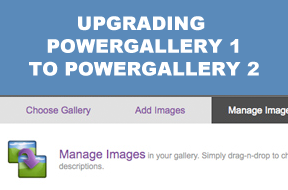
This tutorial shows you how to upgrade your PowerGallery 1 installation to PowerGallery 2.
Using PowerGallery: Videos
Get the most from your PowerGallery license by iFraming your galleries on multiple domains without buying additional licenses.
Frequently Asked QuestionsIn order for your gallery to display within a PHP page, the page has to be stored within the same website as your PowerGallery files. For pages on other servers, it is advised that you link directly to your gallery using the link provided.
PowerGallery itself must be hosted on a server that supports PHP. However, you can display the actual galleries on as many domains as you want - and even on HTML pages, using the iFraming technique. Watch a video tutorial on iFraming your galleries.
In many cases, you can use your extensions to modify PowerGallery functionality to suit your needs. These customizations are not supported by WebAssist technical support and require you to have a solid understanding of how the changes you make will affect PowerGallery. In order for you to succeed with modifying PowerGallery with a WebAssist extension, make sure to:
More help
Should you need further assistance, rest assured - we provide free, unlimited technical support.

When you need expert guidance or rush assistance, we offer premier support for $99.
Your friends over here at WebAssist! These Dreamweaver extensions will assist you in building unlimited, custom websites.
These out-of-the-box solutions provide you proven, tested applications that can be up and running now. Build a store, a gallery, or a web-based email solution.
©1999-2026 WebAssist.com Corporation. All rights reserved and all that jazz.


Account or customer service questions?
Please user our contact form.
Need technical support?
Please visit support to ask a question

