Dynamic Dropdowns 2.7.1
Ensure that your customers will find what they're looking for, fast.
buy now:
$37.49 Regularly $49.99
related products:
international pricing:
upgrade center:
Make the most of your investment: visit the Upgrade Center.
for sales questions:
Email sales@webassist.com
U.S.
Monday - Friday, 9AM - 5PM PST
800.886.0130 Option 2
Europe
Monday - Friday, 9AM - 5PM GMT
+44 (0) 170.453.3838
Outside U.S. and Europe
Monday - Friday, 9AM - 5PM PST
+1.760.633.4013 Option 2
Pay by check
Download order form
Power up your drop-down lists! Dynamic Dropdowns from WebAssist creates dependent select lists, for quick category sorting. Add them to an online store to ensure that your customers will find what they’re looking for, fast. Using a common sense search approach, you can quickly create drill-down categories that direct your customer straight to what they looking for.
Create dependent, drill-down lists dynamically
Dynamically builds options for drop-down lists for efficient display and selection.Point-and-click design-time interface
All the JavaScript and server-side code is generated for you to eliminate any painful, time-consuming hand-coding.Excellent tool for simplified site navigation
Drill-down lists make it easy for customers to find what they want. Choose an item from one list to populate another – which can then populate another list or link to a page.Fast, fast run-time effect
All data arrays are created when the page loads, so queries only hit the server once – which make for fast, efficient results.
Drill-down lists made easy
Dynamic Dropdowns allow you to build one select list that is filtered by another. Choices from the first list determine what options are available in the second list. Selection in the second list could populate a third list, which, in turn, could link to the desired page or trigger some other information from being displayed.Enhanced controls provide options
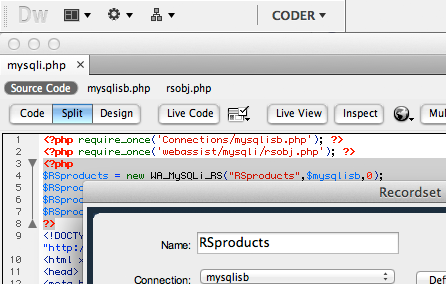
Dynamic Dropdowns works on dynamic pages, pulling information from a recordset created in Dreamweaver to create an immediately accessible array. Application server models supported include ASP-JavaScript, ASP-VBScript, ColdFusion and PHP.
Add, Move, or Delete Select Lists
Dynamic Dropdowns allows you to create interactively controlled lists – without coding. Items can be added or removed from lists, moved up or down within the target list or selected all at once.Enhanced controls provide options
Through the Dynamic Dropdowns interface, you can set a range of options, including leaving descriptive text, like "Next, select your item", at the top of the list. You can even choose to prepend the name of the parent list so that the relationship between the chosen list items is clear.Windows
Windows Vista, Windows XP, or Windows Server 2003
Dreamweaver MX 2004, Dreamweaver 8, Dreamweaver CS3
Works with static and dynamic pages
Application Server Models
Coldfusion 6.x and later
ASP JavaScript
ASP VBScript
PHP 4.2 +
Macintosh
Mac Power PC 10.4.x, 10.5.x
Mac Intel 10.4.x, 10.5.x
Dreamweaver MX 2004, Dreamweaver 8, Dreamweaver CS3
Works with static and dynamic pages
Databases
Microsoft Access (with ASP and Coldfusion)
Microsoft SQL Server (with ASP and Coldfusion)
Oracle (with ASP and Coldfusion)
mySQL 4 & mySQL 5 (with PHP)
WA Dynamic Dropdowns gives
you complete control over nested, data-driven dropdown lists. The behaviors
in this suite populate the "Child" list from the selection in
the "Parent" list as well as provide list controls implemented
on form buttons. In this example, there are two Recordsets on the page one
each for the Parent and Child dropdown lists. Making a selection (or multiple
selections) in the Parent list triggers custom code that dynamically populates
the child list without page resubmission thus saving on server processing
bandwidth.
The rest of the WA Dynamic Dropdowns suite gives you the ability to select your favorite automobiles from the Child list into a third called the "Select" dropdown list where you can then prioritize your selections by moving them up and down. You can remove individual entries from the Select List or select them all excluding the top or bottom option in the list, as these are not valid car selections. As you can see, all of the functionality is achieved client-side with no page reloads so your server gets hit only once the first time this page is loaded.
All WebAssist products receive professional, top-of-the-line support from a number of resources. Dynamic Dropdowns includes a full online help system, available directly from within Dreamweaver and Dynamic Dropdowns. Additional resources are available below:
Online Documentation
Technical Support
With your purchase of Dynamic Dropdowns, you receive 1 Technical Support incident, a value of $29.99. Technical Support Incidents are handled by senior support personnel quickly and efficiently. Intial responses to a submitted incident are returned within 2 to 4 business hours.
General Tech Notes
Understanding WebAssist Activation
WebAssist uses product activation to help eliminate piracy and keep software costs low. This TechNote discusses WebAssist product activation and what to do when you encounter an activation error.