Pro Maps for Google 1.0.2
Database-driven, dynamic or static Google Maps, complete with driving directions
buy now:
$39.99
Recently Released
whats new
upgrade center:
Make the most of your investment: visit the Upgrade Center.
for sales questions:
Email sales@webassist.com
U.S.
Monday - Friday, 9AM - 5PM PST
800.886.0130 Option 2
Europe
Monday - Friday, 9AM - 5PM GMT
+44 (0) 170.453.3838
Outside U.S. and Europe
Monday - Friday, 9AM - 5PM PST
+1.858.768.6600 Option 2
Pay by check
Download order form
Guide your site visitors to online success with Pro Maps for Google. Now you can set your map markers however you'd like: manually, dynamically or both! Pro Maps accepts static and database-driven street addresses or coordinates, so you can map any point on the globe. Pro Maps also includes a driving directions option—with real-time traffic reporting—to route your Web clients your way. Put your website designs on the map, with Pro Maps for Google!
The features you want: Here are just a few of the great uses for Pro Maps for Google: |
Pure Google Magic, WebAssist Easy
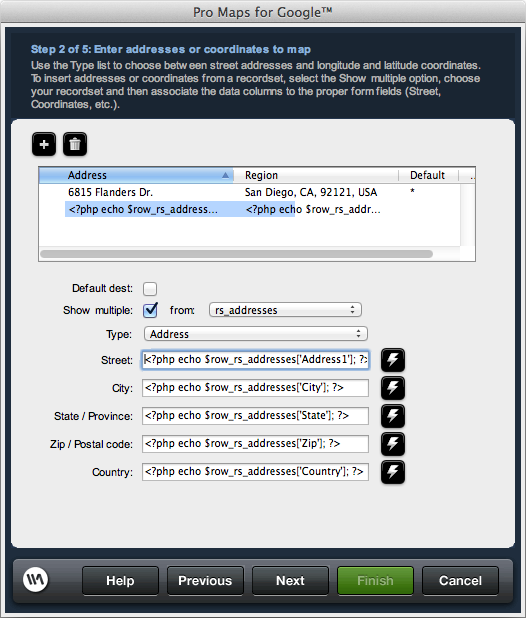
If you’ve ever tried to implement the Google Maps API on your own, you know what a struggle it can be. Pro Maps for Google eliminates the hassle and flattens the learning curve with its point-and-click easy-to-use wizard. Step through the wizard to enter your addresses, customize your map size and features and even set up for driving directions with ease. Pro Maps gives you the power and the control without coding.Insert Once, Edit Again and Again
Once you’ve inserted a Pro Maps for Google object on your page, you can modify to your heart’s content. Just select the Pro Map placeholder in Dreamweaver (sized to your specifications) and click the Edit button in the custom Property inspector. The Pro Maps for Google wizard re-opens with all your previous addresses, settings, and other options—any of which can be altered without a fuss.
Dynamic Mapping Made Simple
Map your addresses dynamically with Pro Maps for Google. Pro Maps reads street addresses and coordinates directly from any Dreamweaver recordset. Just set up your database table to include the proper fields, fill it with data, and go! Pro Maps even supports multiple recordsets, so you can easily dynamically map a variety of locations, stores, or whatever you’d like.Precise, Global Reach with Coordinates
Google Maps is an awesome tool, but not all street addresses are available in its databanks. Coordinates—latitude and longitude—however, are internationally supported. Pro Maps for Google accepts either coordinates or street addresses, or both in the same map! Enter coordinates in Pro Maps when you want pinpoint accuracy, anywhere in the world.
Pro Maps Shows You the Way
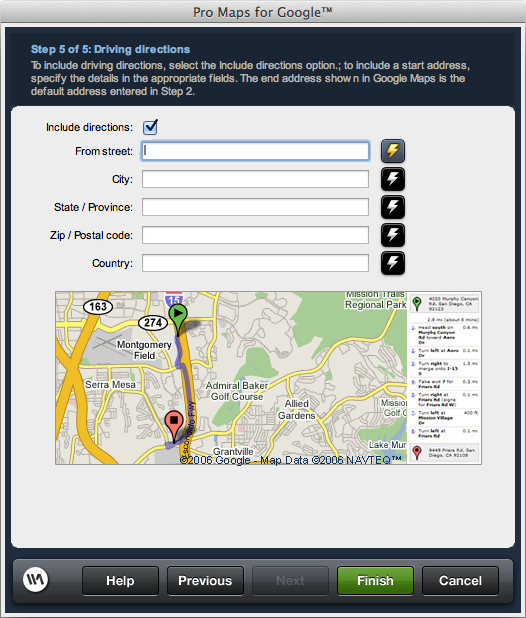
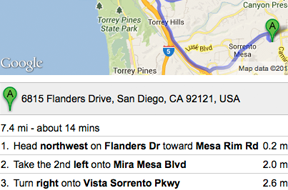
Integrate one of Google Maps most powerful features in your site with point-and-click ease: driving directions. Pro Maps for Google lets you set the starting point and destination with just a few clicks of the mouse. Starting points can be defined as a static or database-driven address—you can even let your site visitors enter their own through an online form.Arrive Faster with Real-Time Traffic
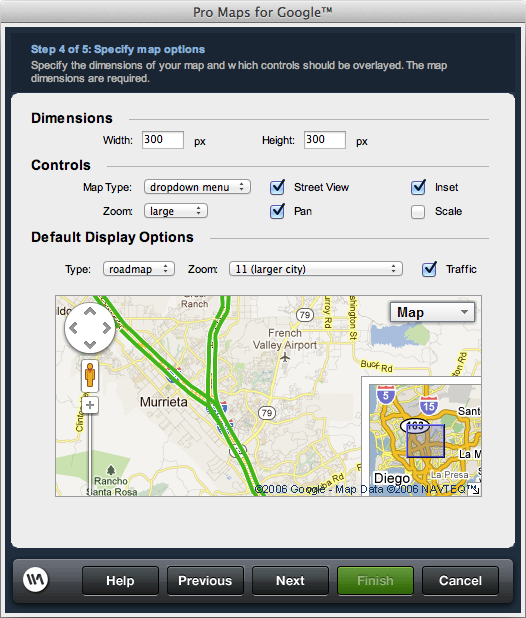
Take advantage of Google’s real-time traffic reporting with Pro Maps for Google’s Traffic option. Once enabled, your maps will display color-coded traffic conditional for over 30 major metropolitan areas in the U.S. Green means go, yellow means a slight delay and red means major congestion: avoid if you can! No doubt your site visitors will appreciate your concern for their commute.
Configure your Options
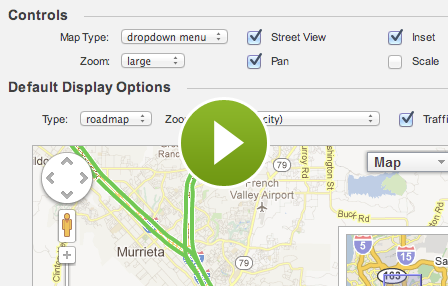
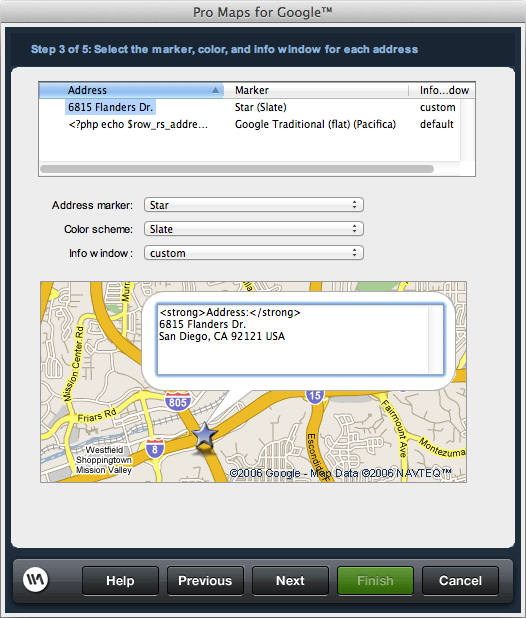
With Pro Maps for Google, you can set all the controls you want and leave out those you don’t. Want your map to fit in a 600 px by 400 px space? No problem. Love the large pan and zoom control but hate the inset? Click one on and the other off. Need special map markers to match your CSS Sculptor, eCart or SiteAssist color scheme? You’ve got it, with Pro Maps for Google.Customizable Info Windows
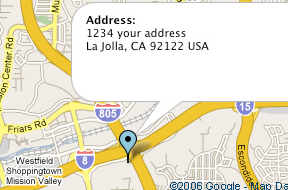
By default, Google Maps displays a small info window whenever you click on an address marker. Pro Maps for Google gives you the option to personalize these windows with your own details, entered manually or populated dynamically. You can even integrate images into your markers—just insert anWindows
Windows Vista, Windows XP, or Windows Server 2003
128 MB RAM (256 MB recommended)
Dreamweaver CS3, Dreamweaver 8
One of the following Application Service Models
ColdFusion 6.x and later
ASP JavaScript
ASP VBScript
PHP 4.2 +
Macintosh
500 MHz Power PC G3 processor
Mac OS X 10.1.x, 10.2.x, 10.3.x and 10.4.x, 10.5.x
128 MB RAM (256 MB recommended)
Dreamweaver CS3, Dreamweaver 8
One of the following Databases
Microsoft Access (with ASP and ColdFusion)
Microsoft SQL Server (with ASP and ColdFusion)
Oracle (with ASP and ColdFusion)
MySQL 4 and MySQL 5 (with PHP)
All WebAssist products receive professional, top-of-the-line support from a number of resources. DataAssist includes a full online help system, available directly from within Dreamweaver and Pro Maps for Google. Additional resources are available below:
Technical Support
WebAssist offers free technical support with every purchase or download of our leading extensions or templates. We have built a first class support organization ready to help you via our online support ticket system. Submit a support ticket >
General Tech Notes
Understanding WebAssist Activation
WebAssist uses product activation to help eliminate piracy and keep software costs low. This TechNote discusses WebAssist product activation and what to do when you encounter an activation error.
Solution Recipes
Pro Maps Solution Recipe
Get the most out of Pro Maps for Google with these Solution Recipes. These recipes are presented in an interactive format for maximizing your learning potential. Learn how to enter map addresses manually or via a database. You’ll also see how to add driving directions to your map, complete with user-entered starting points.