On Sale - Super Suite 44% off - Click here to learn more

System Requirements

Windows

  • Windows Vista, Windows XP SP2, or Windows Server 2003
  • 128 MB RAM (256 MB recommended)
  • Dreamweaver CS4, Dreamweaver CS3, Dreamweaver 8
  • Works with static, dynamic or template pages.

One of the following Application Server Models

  • Coldfusion 6.x and later
  • ASP JavaScript
  • ASP VBScript
  • PHP 4.2 +

Macintosh

  • Mac PowerPC or Mac Intel
  • MacOS 10.4.x, MacOS 10.5.x
  • Dreamweaver CS4, Dreamweaver CS3, Dreamweaver 8
  • Works with static, dynamic or template pages.

Required for Database Driven Emails

  • One of the following Databases
  • Microsoft Access (with ASP and Coldfusion)
  • Microsoft SQL Server (with ASP and Coldfusion)
  • Oracle (with ASP and Coldfusion)
  • mySQL 4 & mySQL 5 (with PHP)

Need a hosting provider?

  • WebAssist has partnered with 1&1. Click here to learn more.

Close

Close

Three envelopes overlapping representing website email

Universal Email 3

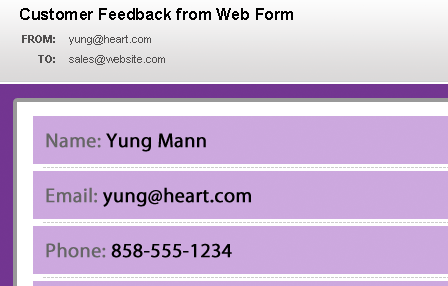
Apply Universal Email to any form, such as a website contact form, to have the form contents sent via email
Included in the Extension Library membership program  Learn More

Video Feature Tour

Click the video icon to the right to see how to add custom email functionality to your website in Dreamweaver.

Play Video

Product Summary

With Universal Email you can add email capabilities to any website form. Simply design a custom form in Dreamweaver, then apply Universal Email so that the contents of your form can be sent via email. For a more personal touch, you can design a personalized HTML or text email in Dreamweaver and specify it within Universal Email's wizard so that it is used when sending the form contents.

No Coding
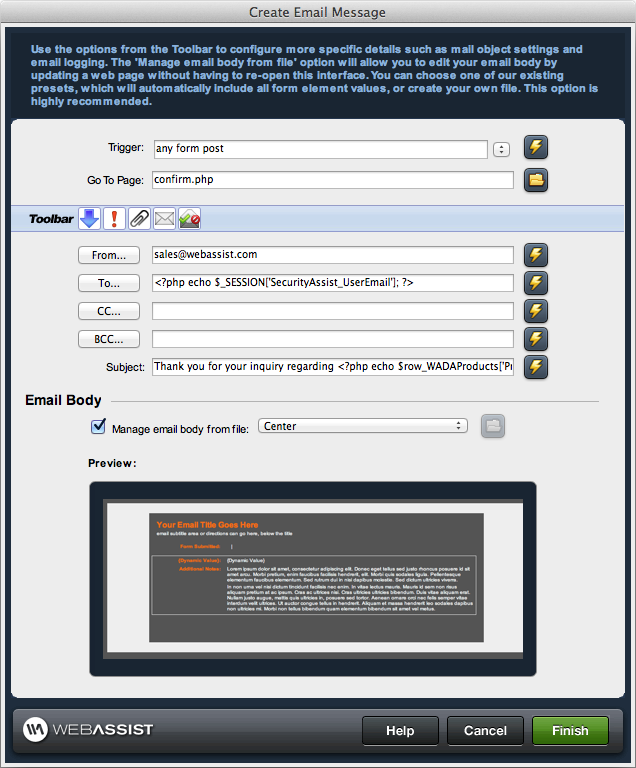
The Universal Email wizard will guide you through the process of specifying the appropriate settings, selecting recipients, adding attachments and more - no coding is required.
Personalized Emails
Send customized emails with a personal touch directly through your website. Simply design an email in Dreamweaver, include dynamic data if you choose and open it in the wizard for use.
Recipient Control
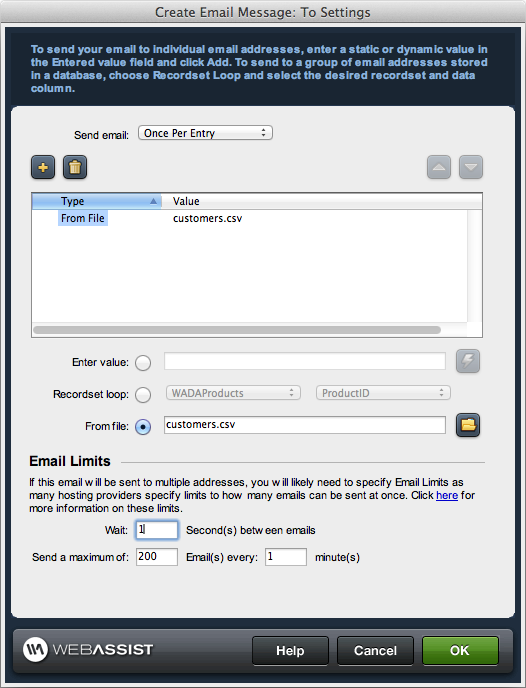
Easily specify the To, CC, and BCC fields by entering email addresses manually within the wizard or pull one or many email addresses from a database.
Include Attachments
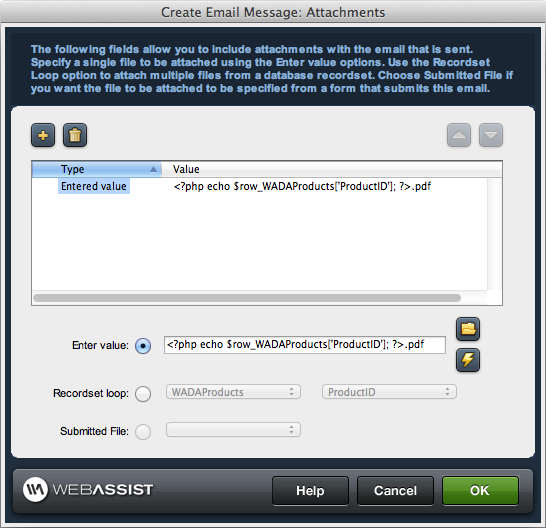
You can include attachments with your email if the files are already on your sever. Even give users the ability to attach files from their own computer by incorporating Digital File Pro.

Screenshots

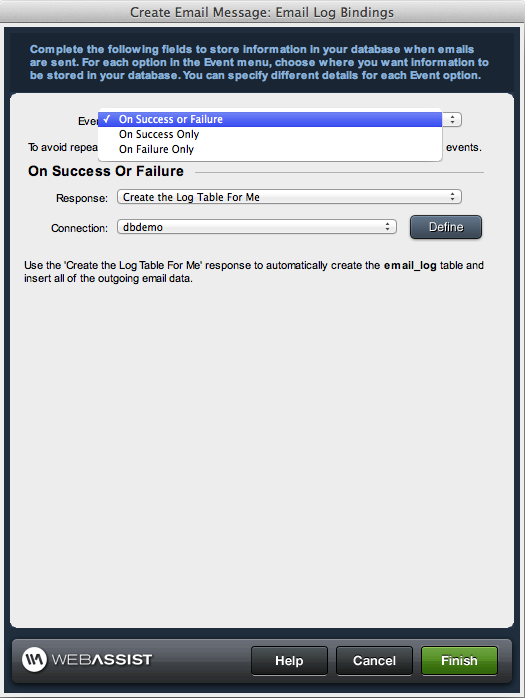
Define Email Object SettingsSet Up Email PropertiesEmail Addresses to Receive RepliesSet the "To" FieldSend Copies to Additional IndividualsAssign Blind Carbon CopiesInclude Your EMail Content HereCreate HTML Emails with Dreamweaver

Features

  • Easy to use wizard
  • Text email output
  • HTML email output
  • Multipart email output
  • Works with static or dynamic info
  • CC option
  • BCC option
  • Set importance level
  • Multiple trigger email send
    • Any form post
    • On form submit
    • Specific button clicked
    • Page load
    • eCart shopping cart not empty
    • eCart shopping cart empty
    • Recordset not empty
    • Recordset empty
    • Dynamic condition met
  • File attachments supported
  • Create email in Design or Code view
  • Integrates with eCart
  • Include PayPal buttons
    • Buy Now
    • Subscription
    • Donation
  • PHP support
    • Mail for Linux
    • Mail for Windows
    • PEAR mail
  • Coldfusion CFMail support
  • ASP support
    • ASP-JavaScript
    • ASP-VBScript
    • CDONTS
    • CDOSYS
    • SMTPmail
    • w3Jmail
    • AspEmail
    • AspMail

What is the difference between purchasing and signing up for a membership?

When you purchase a Dreamweaver extension or Super Suite, you own that software and will automatically receive dot release updates (updates within the same version of a product you own). Any full version upgrade that is released after 30 days from your initial transaction would require you to purchase that version at a discounted upgrade price. By enrolling in the WebAssist Extension Library Membership Program you have automatic access to all existing WebAssist Dreamweaver extensions, premium content, new extensions as well as content or product updates that are added during your membership.

Is Universal Email included with the WebAssist Extension Library?

Yes, with your purchase of the WebAssist Extension Library you receive access to all WebAssist extensions including Universal Email.

Do I need to own Dreamweaver to use Universal Email?

Yes, you will need Dreamweaver 8, CS3 or CS4 to run Universal Email.

Do you offer a trial or demo of Universal Email?

WebAssist is not currently set up to offer trials or demos of our products. Instead we offer a 15 day money back guarantee with every Dreamweaver extension.

Can Universal Email be used without any coding knowledge?

Yes. Universal Email can be used without any prior coding experience or knowledge.

Is Universal Email all I need to send email via my website?

Yes. Universal Email is all that you need to send emails directly via your website. Simply create a custom contact form and apply Universal Email functionality.

What is the email object and how do I determine which meets my needs?

Email Objects are the mailing mechanism that allows you to send an email via your website; Universal Email supports a wide variety of email objects. For instance, three Email objects are available if you are using PHP: Mail for Linux, Mail for Windows, or PEAR mail. To determine which email objects are available to you please contact your Internet Hosting Provider.

Can Universal Email be used to create an online contact form?

Universal Email will not create the actual form for you; however one of Universal Emails primary uses is for setting up a functional contact form for your website.

How does Universal Email work with eCart?

Universal Email integrates with eCart for the sending of an order confirmation. If Universal Email is installed, simply create the shopping cart display with eCart and you will be prompted to set the email variables for the order confirmation email. Customize the contents of the email by including shopping cart details and even customer-entered details for a more personal touch.

What other products might I want to consider?

Universal Email and CSS Form Builder are often used in conjunction. Additionally, Universal Email integrates well with eCart, DataAssist and SecurityAssist. As such many customers find the WebAssist Extension Library Membership Program, which contains all of our Dreamweaver extensions, tremendously helpful in the overall website creation process.