



Super Suite
Get all extensions for one suite price
Design Extender
Design and create unlimited websites
Data Bridge
Develop database-driven websites
eCart
Build a responsive shopping cart + checkout
MySQLi Server Behaviors
Generate streamlined MySQLi
Free PayPal Toolkit
Paypal, PayPal Credit, and Skype
Help
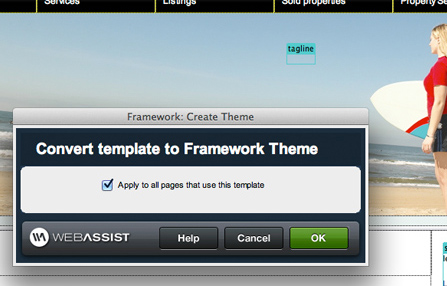
The theme and plug-in tools assist you by creating a better framework for your Dreamweaver website, one that you can build on much more efficiently. Our customers tell us that the theming and plug-in tools have simplified their website maintenance and helped their pages load faster!
These tools were once a stand-alone extension called Framework Builder. Now they are integrated into our powerful Dreamweaver extensions, Data Bridge and Design Extender.
 Convert your site from DWT-dependent
When you update a Dreamweaver template (DWT), all your files associated with that template need updating and re-publishing, a large risk for any site. With the framework tools, you can easily convert your site from DWT-dependent to "theme-based" and your template can be updated and published independently of the pages using the theme. Once you have converted your site to theme-based, you can create new pages based on that theme. As this is similar to how you create template-based pages, it's a simple concept for Dreamweaver users to adjust to. Regardless, it's worth adjusting to this process since maintenance will improve and the amount of files you need to publish after a change will be greatly reduced.
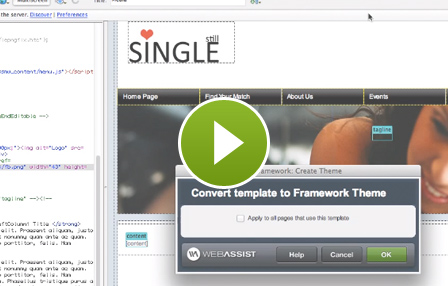
This video discusses the pitfall of using traditional Dreamweaver templates and demonstrates the steps to instead convert your site to theme-based site, using Data Bridge or Design Extender's theming engine.
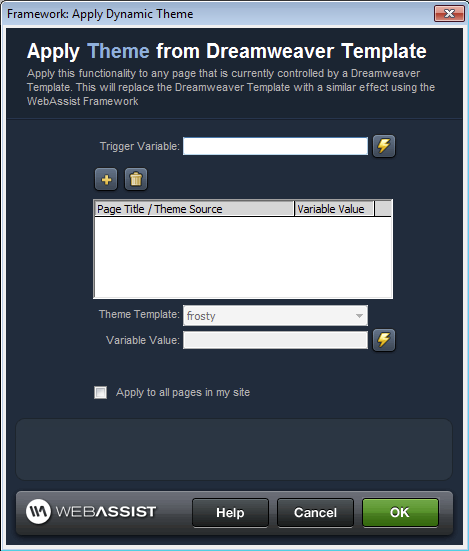
Flexibility over how your themes loadYou can apply your themes individually to specific pages or set your themes to load based on a trigger variable. For example, you could load a theme element (like your site's background color) depending on a setting your visitor or you control.
 How plug-ins trump Dreamweaver includes
Dreamweaver users often use includes to display content on various parts of their site without duplicating the content in multiple places. For example, you could make your company address an include (which is simply a php file) and then insert the include on your contact page and your about page. However, Dreamweaver includes have always been a nuisance. When you use includes in a site with a sub-folder structure, your paths will either work if the path is correct in the include file or will display in Dreamweaver if the path is correct in the file the include is used in. Not both!
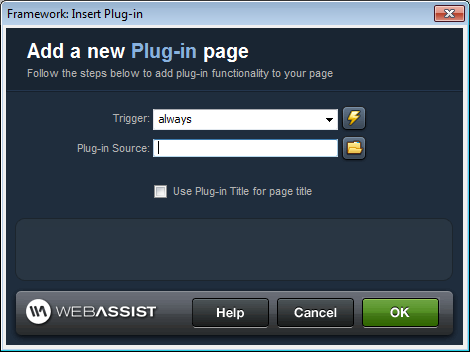
So we invented plug-ins. The concept works the same as includes, but paths are correctly detected and dynamically updated to work both in Dreamweaver and in the browser! You can load static plug-ins, where a specific plug-in displays based on the trigger you determine (such as always load, form post, etc.).
You can also load dynamic plug-ins, where the plug-in that loads differs depending on the trigger. One example would be a form where the user selects a value in a select list and different text fields display below dependent on that value. If they select, say, general inquiry from the select list, name/contact info/comments may display from one plug-in. If they select, say, bug report from the select list, name/contact info/software platform/steps to reproduce would display from a different plug-in.
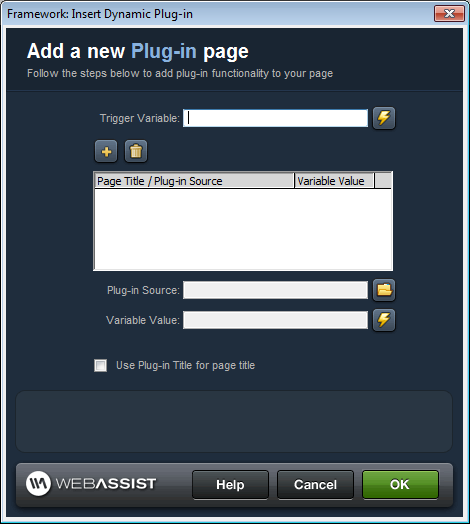
If you have separate CSS for each include file, you can simply manage your include page like a regular page with a CSS file reference. When you include the plug-in on a page, Data Bridge (unlike regular Dreamweaver includes) will detect that CSS reference and move it to the correct location (the head) to pick up the correct styles.
Advanced application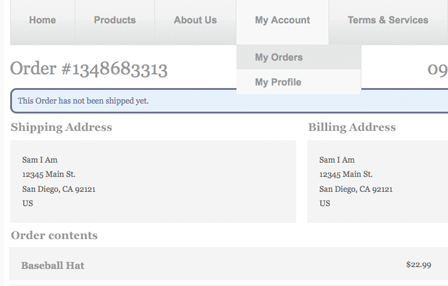
We offer many free tutorials to assist you not only with using the Data Bridge wizards and server behaviors, but also to help you add custom functionality so you can create extremely advanced web applications.
This tutorial demonstrates how to display relational table data on one page by using the plug-in feature. In our example, we build an order detail page and plug order contents (items purchased in that order) into the page. However, this concept can be used to plug in all kinds of relational table data.
Your friends over here at WebAssist! These Dreamweaver extensions will assist you in building unlimited, custom websites.
These out-of-the-box solutions provide you proven, tested applications that can be up and running now. Build a store, a gallery, or a web-based email solution.
©1999-2025 WebAssist.com Corporation. All rights reserved and all that jazz.


Account or customer service questions?
Please user our contact form.
Need technical support?
Please visit support to ask a question
