



Super Suite
Get all extensions for one suite price
Design Extender
Design and create unlimited websites
Data Bridge
Develop database-driven websites
eCart
Build a responsive shopping cart + checkout
MySQLi Server Behaviors
Generate streamlined MySQLi
Free PayPal Toolkit
Paypal, PayPal Credit, and Skype
Help
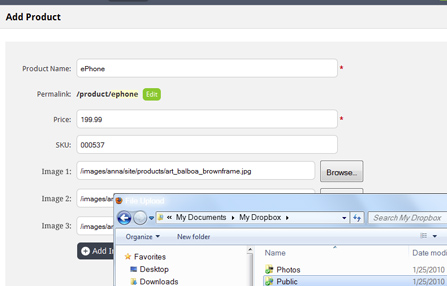
Add digital file upload fields to your Dreamweaver forms from a wizard. Have complete control over what can be uploaded, where the file is stored and more.
Also create a secure download center in Dreamweaver with the assistance of the Download wizard.
These tools were once a stand-alone extension called Digital File Pro. Now they are integrated into our powerful Dreamweaver extension, Data Bridge.
 Add digital file upload fields to your PHP forms
Add digital file upload fields to your PHP forms to let your website visitors or administrators upload files. For example, you may want to build a form to let your customers submit images for a contest or create a “my account” section on your website where they can upload their avatar. On an administrative website or CMS, you may want to give your admins the ability to upload product images or a photo for a news story. You can also use the digital file field to let users email files.
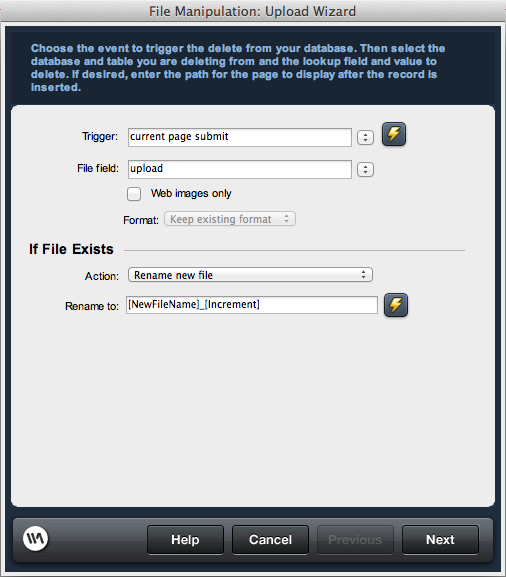
Use the wizard to configure where files should be stored on your server and how to handle file uploads with the same name. Optionally set restrictions on the file type (.jpg, .pdf, etc.) and file size (kb). Re-format, re-size, rename or delete uploads.
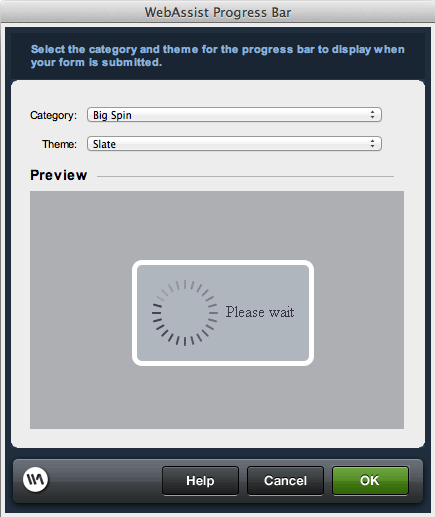
 Add a progress bar to your PHP form
Add a progress bar to your form so that once your user hits the submit button, they know the form is submitting - particularly useful for forms that include upload fields as the submission may not be instant. Choose from multiple progress bar designs.
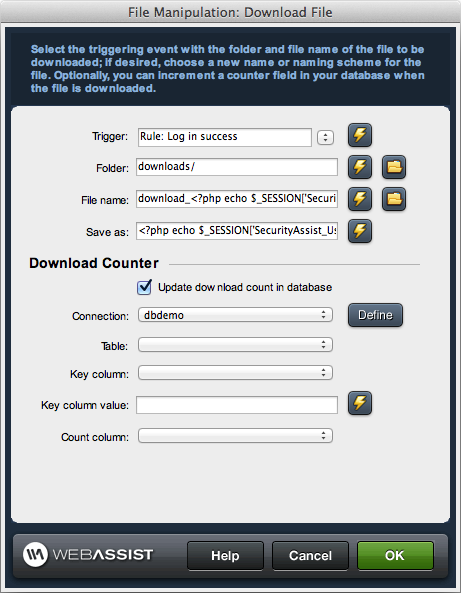
 Configure secure digital downloads
Allow your website visitors to securely download files based on specific criteria, useful when you are selling digital files, such as music or software. You can manage the download name to integrate a dynamic element, such as their user ID, and limit or track the number of times a file is downloaded. You can even delete successfully downloaded files.
 Integrate digital file tools with other tools
We offer many free tutorials to assist you not only with using the Data Bridge wizards and server behaviors, but also to help you use our tools in collaboration with one another. Below are just a couple of our tutorials on integrating digital file upload/download tools with eCart or with the Data Bridge dynamic page-building tools.
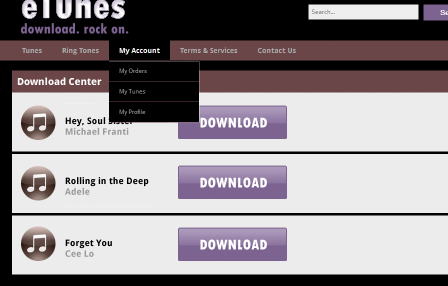
This tutorial demonstrates how to create a Download Center to serve as a repository for downloading any digital product that a customer has purchased.
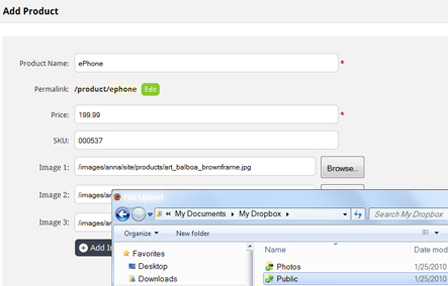
Data Bridge can build you dynamic pages that insert into and update a database. To turn any text fields on those forms into file upload fields, you can follow the steps in this tutorial.
Your friends over here at WebAssist! These Dreamweaver extensions will assist you in building unlimited, custom websites.
These out-of-the-box solutions provide you proven, tested applications that can be up and running now. Build a store, a gallery, or a web-based email solution.
©1999-2024 WebAssist.com Corporation. All rights reserved and all that jazz.


Account or customer service questions?
Please user our contact form.
Need technical support?
Please visit support to ask a question
