On Sale - Super Suite 44% off - Click here to learn more

System Requirements

Windows

  • Windows Vista, Windows XP SP2, or Windows Server 2003
  • 128 MB RAM (256 MB recommended)
  • Dreamweaver CS4, Dreamweaver CS3
  • Works with static, dynamic or template pages.

Macintosh

  • Mac PowerPC or Mac Intel
  • MacOS 10.4.x, MacOS 10.5.x
  • Dreamweaver CS4, Dreamweaver CS3
  • Works with static, dynamic or template pages.

Need a hosting provider?

  • WebAssist has partnered with 1&1. Click here to learn more.

Close

Close

The CSS building blocks

CSS Sculptor™ 3

CSS design made easy with Eric Meyer and WebAssist's easy to use CSS generator
Included in the Extension Library membership program  Learn More

Video Feature Tour

Click the video icon to the right to see what Eric Meyer's CSS Sculptor can do for you.

Play Video

Product Summary

Eric Meyer's CSS Sculptor was developed in partnership with Eric Meyer, renowned CSS expert, to bring to you an easy-to-use feature rich CSS generator. Extend and maximize your Dreamweaver web design capabilities, and start taking advantage of the flexibility CSS design offers. With our CSS layout generator you can quickly build unique CSS layouts styled to your exact CSS design needs.

The Ultimate CSS Generator
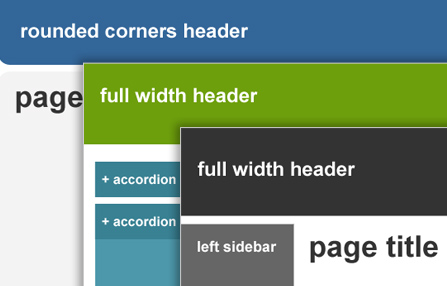
Eric Meyer's CSS Sculptor brings the power of CSS design, the expertise of Eric Meyer, and the ability to quickly and easily generate CSS layouts to the Dreamweaver community.
Total CSS Design Customization
Our CSS extension includes an easy-to-use wizard that gives you complete control over a wide variety of CSS design properties such as div placement, so that you can design unique one-of-a-kind CSS layouts.
Cross Browser Friendly CSS Layouts
Eric Meyer's CSS Sculptor puts the power of CSS design in your hands and also ensures the CSS layouts you create are standards complaint and compatible with all modern browsers.
CSS Expertise with Eric Meyer
We have partnered with Eric Meyer, renowned CSS master, so that you too can create professional looking CSS layouts without CSS design knowledge or experience.

Screenshots

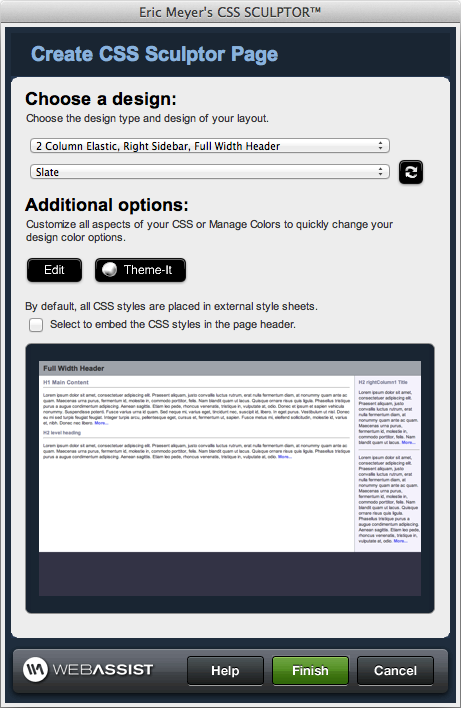
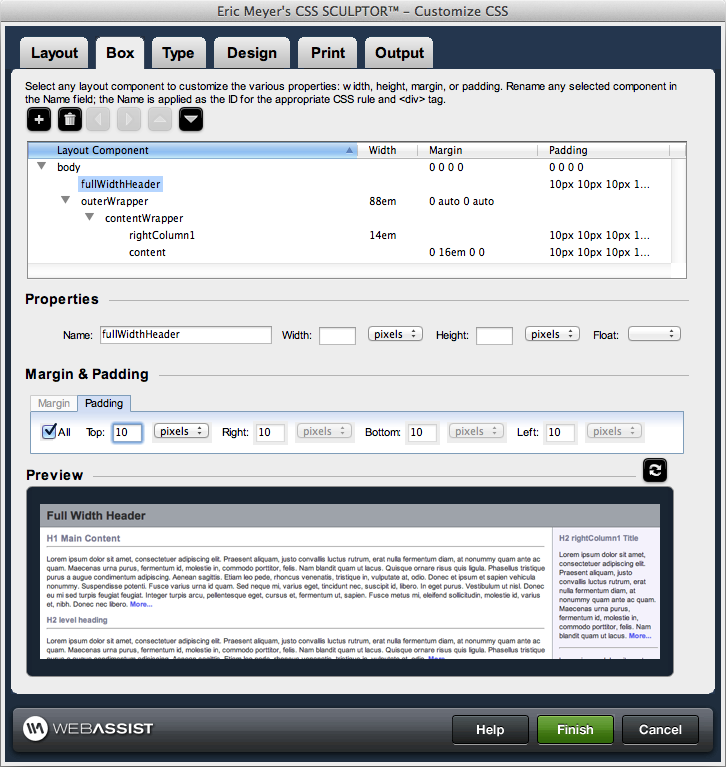
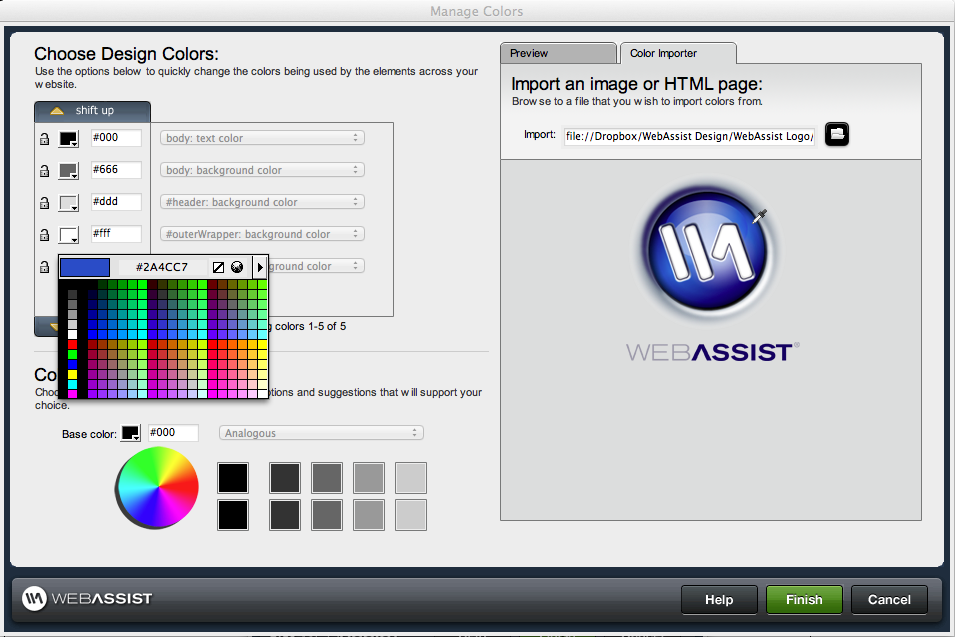
Quick Insert PanelQuick Insert PanelQuick Insert PanelManage Colors InterfaceCustomize CSS interface - Layout tabCustomize CSS interface - Box tabCustomize CSS interface - Type tabCustomize CSS interface - Design tabCustomize CSS interface - Print tabCustomize CSS interface - Output tab

New Features in Eric Meyer's CSS Sculptor 3!

  • Color Manager – New!
    • Change the color scheme of your CSS layouts with the click of a mouse
    • Color suggestions will help ensure your CSS design looks professional
    • Import web page or image to sample colors
  • Spry Components – New!
    • Tab panel
    • Accordion panel
    • Collapsible panel
  • Quick insert interface – Enhanced!
  • Integrated preset manager – Enhanced!
  • Loading time reduced – Enhanced!
  • User interface performance – Enhanced!
  • Usability – Enhanced!

Additional Features

  • 48 Web standards-compliant preset CSS layouts
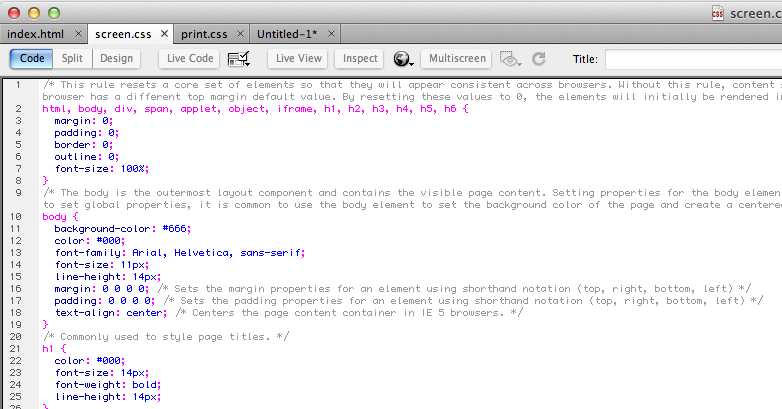
  • Output code certified by renowned CSS master, Eric Meyer
  • 12 color schemes, coordinated with other WebAssist extensions
  • Output pages support Internet Explorer 5.5 – 7.x, Firefox 2 – 3.x, Safari 2 – 3.x, Opera 9
  • Automatically includes necessary conditional comments
  • Easy width control in pixels, percentages or ems
  • Minimum and maximum width options
  • Page positioning control
  • Automatically create equal length columns
  • Optional automatic width adjustment
  • Include or exclude headers
  • Set headers to full-width within any of your CSS layouts
  • Include or exclude top nav
  • Include or exclude footers
  • Set footers to full-width on any of your CSS layouts
  • Fixed footer option
  • Choose layouts with full-width headers
  • Add any number of columns left or right
  • Modify any Dreamweaver CSS layout element’s name
  • Change any Dreamweaver CSS layout element’s width
  • Change any Dreamweaver CSS layout element’s height
  • Set any Dreamweaver CSS layouts element margin
  • Set any Dreamweaver CSS layouts element padding
  • Add new div tags anywhere
  • Control float property on any div
  • Set the paragraph properties (font, size, line height, weight, etc.) globally or for any layout element
  • Set the heading (h1-h6) properties (font, size, line height, weight, etc.) globally or for any layout element
  • Set properties for pseudo-classes (a:link, a:visited, a:hover, a:focus and a:active) globally or for any layout element
  • Determine background color for any layout element
  • Include background image, with all properties such as repeat and position, for any CSS layout element
  • Choose border properties for any layout element
  • Define print style sheet with the following features:
  • Globally or individually set divs to auto for print
  • Globally or individually set divs to black and white
  • Globally or individually set margin and padding to zero
  • Hide any layout element
  • Embed or store screen styles in new or existing style sheet
  • Embed or store print styles in new or existing style sheet
  • Determine amount of placeholder content (full, minimal or none)
  • Enable/disable CSS comments
  • Set HTML doctype
  • Store or update preset layouts without generating pages
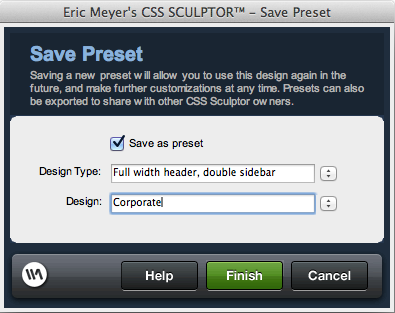
  • Save new preset layouts
  • Modify existing preset CSS layouts
  • Import/export preset CSS layouts
  • Loading time reduced
  • User interface performance
  • Full in-product context-sensitive documentation
  • Getting Started Guide

Do you provide a purchase guarantee for CSS Sculptor?

If you are not satisfied with your purchase, please email us at sales[at]webassist[dot]com or call us at (800)886-0130 ext. 2 within 15 days of your purchase to receive a full refund. (excludes Solution Packs and Training Materials)

What is the difference between purchasing and subscribing?

When you purchase a Dreamweaver extension or Super Suite, you own that software and will automatically receive dot release updates (updates within the same version of a product you own). Any full version upgrade that is released after 30 days from your initial transaction would require you to purchase that version at a discounted upgrade price. By subscribing to the WebAssist Extension Library you have automatic access to all existing WebAssist Dreamweaver extensions, premium content, new extensions as well as content or product updates that are added during your subscription.

Is Eric Meyer's CSS Sculptor included with the WebAssist Extension Library?

Yes, with your purchase of the WebAssist Extension Library you receive access to all WebAssist extensions including Eric Meyer's CSS Sculptor.

Do I need to own Dreamweaver to use Eric Meyer's CSS Sculptor?

Yes, you will need Dreamweaver CS3 or CS4 to run our CSS generator Eric Meyer’s CSS Sculptor.

Do you offer a trial or demo of Eric Meyer's CSS Sculptor?

WebAssist is not currently set up to offer trials or demos of our products. Instead we offer a 15 day money back guarantee with every Dreamweaver extension.

Can Eric Meyer's CSS Sculptor be used without any coding/CSS knowledge?

Yes. Eric Meyer's CSS Sculptor can be used without any prior coding or CSS experience/knowledge.

How many layouts and color schemes are included?

Eric Meyer's CSS Sculptor includes 48 web standards compliant CSS layouts.

Is there a gallery of the preset layouts provided with Eric Meyer's CSS Sculptor?

Yes. Please CLICK HERE to view the gallery for Eric Meyer's CSS Sculptor.

Does CSS Sculptor allow you to control headers, top navigation, and footers?

Yes. Eric Meyer's CSS Sculptor gives you complete control over div tags and placement. Including the ability to control div tags and placement, as well as header, footer, navigation fields, and various other aspects of the layout.

Can you specify the number of columns in a my CSS layouts?

Yes. You can choose from one, two, or three column CSS layouts.

Can I specify the margins and padding properties?

Yes. You can specify the margins and padding with ease.

Can I style the paragraph and heading text?

Yes. You can quickly set the basic font properties for the entire page and then if you choose refine them for individual page areas. Choose from an enhanced list of font-families common to PCs and Macs, define font size, line height, weight and other CSS text properties.

Can I define link states?

Yes. You can establish the look-and-feel for all your link states so that they work with the design of the page. Eric Meyer's CSS Sculptor gives you full CSS design control over link, visited, hover, active and even focus pseudo-classes.

Are the CSS layouts cross-browser compatible?

Yes. The CSS layouts created by Eric Meyer's CSS Sculptor are compatible with all modern browsers.

Once I create a layout can I save it for future use or customization?

Yes. All preset CSS layouts included can be quickly modified to suit your needs and then saved as a new preset for future use and/or modification.

Does Eric Meyer's CSS Sculptor allow for the use of background images?

Yes. You can set background colors or background images for the body or any other layout component. Easily create faux columns or outer page edges with this powerful feature.

Can you specify or configure the layouts to be printer friendly?

Yes. You can quickly convert your screen layout to a printer friendly layout.

What type of control over the layout border do I have?

You can add any type of CSS border - solid, dashed, dotted, etc...to any layout element. Specify color, width and placement (all or top, right, bottom, and left individually) for the outer containing element to give the page a full border or just add side borders to separate columns.

Does Eric Meyer's CSS Sculptor create all the pages of my website?

No. Eric Meyer's CSS Sculptor is intended to create a single page that you can save as a template or use to create a Dreamweaver template so you can easily create all the pages of your website. You should not use Eric Meyer's CSS Sculptor to create the same page more than once for a single website as you will end up with multiple CSS style sheets and images.

What other products might I want to consider?

Eric Meyer's CSS Sculptor is compatible with both SiteAssist Professional and CSS Menu Writer. Many customers find the WebAssist Extension Library which contains these three products tremendously helpful in the overall front-end design process.