On Sale - Super Suite 44% off - Click here to learn more

System Requirements

Windows

  • Windows Vista, Windows XP SP2, or Windows Server 2003
  • 128 MB RAM (256 MB recommended)
  • Dreamweaver CS4, Dreamweaver CS3

Macintosh

  • 500 MHz Power PC G3 processor
  • Mac PowerPC or Mac Intel
  • MacOS 10.4.x, MacOS 10.5.x
  • Dreamweaver CS4, Dreamweaver CS3

Requirements for a Database Driven CSS Menu

  • PHP 4.2+
  • MySQL 4 and MySQL 5 (with PHP)

Need a hosting provider?

  • WebAssist has partnered with 1&1. Click here to learn more.

Close

Close

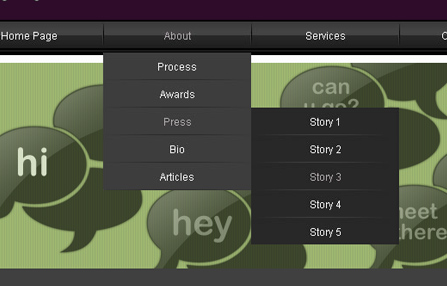
Four vertical CSS menus

CSS Menu Writer 2

Design CSS menu navigation with the premier Dreamweaver menu extension
Included in the Extension Library membership program  Learn More

Video Feature Tour

Click the video icon to the right to see how to build CSS menu navigation with our Dreamweaver menu extension.

Play Video

Product Summary

CSS Menu Writer allows you to quickly and easily build custom vertical and horizontal CSS menu navigation right within Dreamweaver. If you are building your first CSS menu, you will enjoy the benefits of an easy-to-use interface for modifying all aspects of your CSS menu. If you know how to build CSS menus, our Dreamweaver menu extension will help you develop static or dynamic CSS navigation faster than ever before.

CSS Menus for Everyone
With CSS Menu Writer anyone can create professional looking CSS menu navigation without CSS design knowledge or experience - Dreamweaver web design made easy!
Customized CSS Navigation
CSS Menu Writer includes hundreds of pre-built CSS menu combinations that can be customized through its easy-to-use interface to meet your exact needs without hand coding.
Dynamic CSS Menus
Utilize CSS Menu Writer's powerful database-driven CSS menu capabilities to deliver complex CSS navigation to your clients.
Cross Browser Compatibility
CSS navigation created by CSS Menu Writer is web standards compliant and compatible with all modern browsers, as well as Internet Explorer 6.

Screenshots

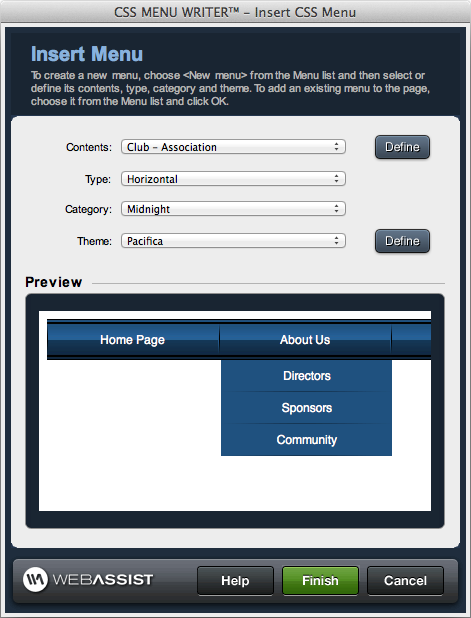
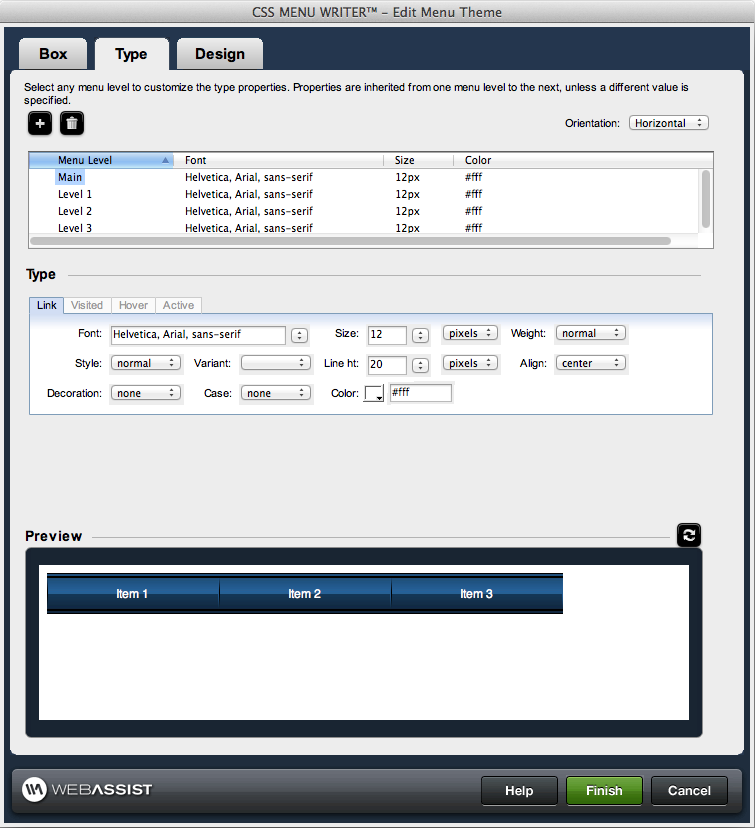
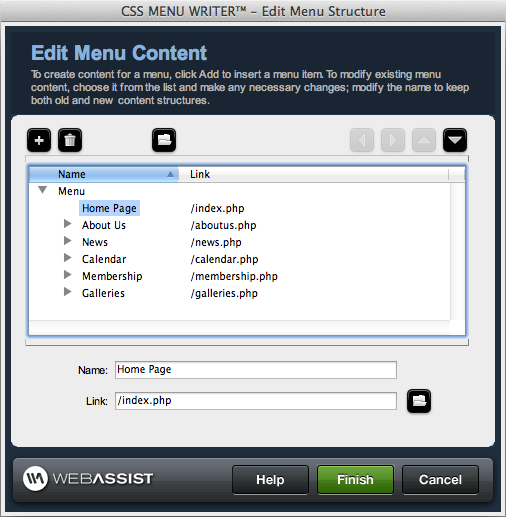
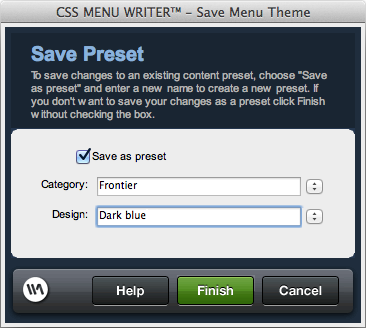
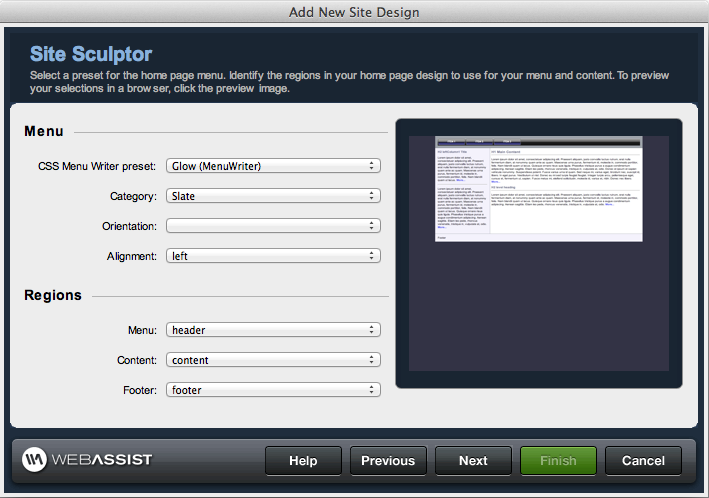
Insert New MenuCSS Menu ContentsCSS Menu ThemesEdit CSS Menu StructureEdit CSS Menu Theme PropertiesEdit CSS Menu Type PropertiesEdit CSS Menu Theme Design

New Features in CSS Menu Writer 2!

  • Redesigned Interface – New!
    • Enhanced Usability
    • Enhanced performance
    • Loading time reduced
  • Full support for dynamic PHP menus – New!
  • Eight new menu styles (CLICK HERE to view the gallery) – New!
  • Highlight current page option – New!
  • Quick insert interface – Enhanced!
  • Browser compatibility support – Enhanced!

Additional Features...

  • Professionally designed preset menu styles
    • Your CSS menus can be horizontal or vertical css drop down menus
    • 16 different CSS menu categories included
    • 12 color schemes, coordinated with other WebAssist Dreamweaver extensions
    • Almost 400 standard menu combinations, all completely customizable
  • All CSS menus composed of Web standards-compliant code
    • Output code certified by renowned CSS master, Eric Meyer
    • Output pages support Internet Explorer 6 - 7.x, Firefox 2.x, Safari 2, Opera 9
    • Automatically includes necessary conditional comments for cross-browser compatibility
  • Preset CSS menu contents
    • 16 different CSS menu structures
    • Compatible with SiteAssist Professional site types
    • Save custom contents for reuse
  • Database-driven CSS menu items compatible
    • Works with any Dreamweaver recordset
    • Nested dynamic menus supported
    • Dynamically assigns labels
    • Dynamically add links to CSS menu items
    • Full sort options
    • Full filter options
    • Supports PHP / MySQL
  • Unlimited submenus
  • Generates CSS menus from site folders and files
  • Combine horizontal and vertical CSS drop down menus on the same page
  • Highlight current page option
    • Show highlighted top level only
    • Show highlighted top level and selected menu item only
    • Show full path highlighted
  • Completely customizable CSS menus
    • Change any menu level's width
    • Change any menu level's height
    • Set any menu level's margin
    • Set any menu level's padding
    • Set the paragraph properties (font, size, line height, weight, etc.) globally or for any menu level
    • Set properties for pseudo-classes(a:link, a:visited, a:hover, and a:active) globally or for any menu level
    • Determine background color for any menu level
    • Modify background image for any menu level
    • Choose border properties for any menu level
  • Re-enter wizard to modify inserted CSS menu content, category or theme
  • Store or update your CSS menu layouts without generating menus
    • Save new CSS menu layouts
    • Modify existing CSS menu layouts
    • Import/export CSS menu layouts
  • Full in-product context-sensitive documentation

What is the difference between purchasing and signing up for a membership?

When you purchase a Dreamweaver extension or Super Suite, you own that software and will automatically receive dot release updates (updates within the same version of a product you own). Any full version upgrade that is released after 30 days from your initial transaction would require you to purchase that version at a discounted upgrade price. By enrolling in the WebAssist Extension Library Membership Program you have automatic access to all existing WebAssist Dreamweaver extensions, premium content, new extensions as well as content or product updates that are added during your membership.

Is CSS Menu Writer included with the WebAssist Extension Library?

Yes, with your purchase of the WebAssist Extension Library you receive access to all WebAssist extensions including CSS Menu Writer.

Do I need to own Dreamweaver to use CSS Menu Writer?

Yes, you will need Dreamweaver CS3 or CS4 to run CSS Menu Writer.

Do you offer a trial or demo of CSS Menu Writer?

WebAssist is not currently set up to offer trials or demos of our products. Instead we offer a 15 day money back guarantee with every Dreamweaver extension.

Can CSS Menu Writer be used without any coding/CSS knowledge?

Yes. CSS Menu Writer can be used without any prior coding or CSS experience/knowledge.

Is there a gallery for CSS Menu Writer?

Yes. Please CLICK HERE to view the gallery for CSS Menu Writer.

Can I add background images to the top and submenus?

Yes. You can set background images for each level of your CSS menu.

Does CSS Menu Writer create JavaScript menus?

No. CSS Menu Writer creates CSS menu navigation with unordered lists. This enhances SEO, and creates standards compliant CSS navigation.

Can CSS Menu Writer create dynamic menus?

Yes. CSS Menu Writer can create both static and dynamic (database-driven CSS menus), as well as a combination of the two.

What other products might I want to consider?

CSS Menu Writer works great with SiteAssist Professional and Eric Meyer's CSS Sculptor. As such, many customers enroll in the WebAssist Extension Library Membership Program because it includes these three products.