On Sale - Super Suite 44% off - Click here to learn more

System Requirements

Windows

  • Windows Vista, Windows XP SP2, or Windows Server 2003
  • 128 MB RAM (256 MB recommended)
  • Dreamweaver CS4, Dreamweaver CS3, Dreamweaver 8
  • Works with static, dynamic or template pages.

Macintosh

  • Mac PowerPC or Mac Intel
  • MacOS 10.4.x, MacOS 10.5.x
  • Dreamweaver CS4, Dreamweaver CS3, Dreamweaver 8
  • Works with static, dynamic or template pages.

Need a hosting provider?

  • WebAssist has partnered with 1&1. Click here to learn more.

Close

Close

An edible cookie with a bite taken out of it symbolizing web cookies

Cookies Toolkit 3

Set web cookies in Dreamweaver – PHP cookies, remember me cookies, auto login cookies and more!
Included in the Extension Library membership program  Learn More

Video Feature Tour

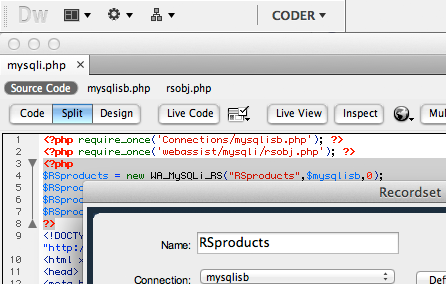
Click the video icon to the right, or any of the additional videos available, to see the fastest, most comprehensive way to set web cookies in Dreamweaver.

Play Video

Product Summary

Do you need to set PHP web cookies for your website? If so then you have come to the right place! With Cookies Toolkit, Dreamweaver users can quickly implement web cookies to personalize and enhance a site visitor’s experience. Implement the popular “Auto Login” and “Remember Me” cookies, and more!

Web Cookie Management
Cookies Toolkit allows you to quickly set cookies for any PHP website. Set cookie expiration dates as well as retrieve, display, and delete a previously set web cookie.
User Experience
Use web cookies to improve and personalize your website, simplify form entry, automate user login, and maintain user specific information such as site preferences.
Redirect Site Visitors
With Cookies Toolkit’s enhanced cookie controls, you can redirect a visitor to a different page based on a web cookie’s value; send recognized visitors one way and new guests another.
Server-side Web Cookies
With server-side cookie coding, you can set your web cookies on any server detected interaction, such as posting to a form or clicking a specific button.

Screenshots

Specify a name for your web cookieSet your web cookies valueEdit the primary settings for your web cookieChange web cookie valuesSet your web cookies session valuesSpecify the name of the cookie you would like to add to bindingsRedirect Based on CookieWeb cookie redirect settingsSelect destination to redirect if cookies are disabledRemove or delete a web cookie based on a triggerSet a trigger to clear session valuesSet an entire form from a web cookieSet a form element from a web cookieStore an the contents of an entire form in a web cookie

Features

  • No hand-coding required
  • Set web cookies
  • Get web cookies
  • Display web cookie value
  • Delete cookies always
  • Conditional cookie delete
  • Set web cookie expiration
  • Store entire form in web cookie
  • Populate form from web cookie
  • Redirect on cookie value
  • Redirect if cookies disabled
  • Redirect if session disabled
  • Edit cookie settings
  • Secure connection option
  • Server-side cookie support
  • Session variable support
  • Set session variables
  • Clear one or more session variables
  • Clear all session variables
  • Add form elements to Bindings panel
  • Add cookie to Bindings panel
  • Supports Dreamweaver CS4, Dreamweaver CS3 and Dreamweaver 8
  • Multiple server model / database support
    • ASP-JavaScript / ODBC
    • ASP-VBScript / ODBC
    • ColdFusion / ODBC
    • PHP / MySQL

What is the difference between purchasing and signing up for a membership?

When you purchase a Dreamweaver extension or Super Suite, you own that software and will automatically receive dot release updates (updates within the same version of a product you own). Any full version upgrade that is released after 30 days from your initial transaction would require you to purchase that version at a discounted upgrade price. By enrolling in the WebAssist Extension Library Membership Program you have automatic access to all existing WebAssist Dreamweaver extensions, premium content, new extensions as well as content or product updates that are added during your membership.

Do I need to own Dreamweaver to use Cookies Toolkit?

Yes, you will need Dreamweaver 8, CS3 or CS4 to run Cookies Toolkit.

Do you offer a trial or demo of Cookies Toolkit?

WebAssist is not currently set up to offer trials or demos of our products. Instead we offer a 15 day money back guarantee with every Dreamweaver extension.

Can Cookies Toolkit be used without any coding knowledge?

Yes. Cookies Toolkit can be used without any prior coding experience or knowledge.

What is a web cookie?

Web cookies are little bits of information that can be tracked by your browser to help personalize your site, simplify form entry, automate user login, and maintain user specific information such as site preferences.

Do I have to work with a server model to use server-side web cookies?

Yes. You must use an application server model, such as PHP, if you wish to use server-side PHP cookies.

What other products might I want to consider?

Cookies Toolkit integrates seamlessly with SecurityAssist. As such, many customers enroll in the WebAssist Extension Library Membership Program because it includes these two products.