Do More

eCart 4.1.1

Simpler to use, better CSS-based layouts, and more functionality for your custom online store.

buy now:

$224.99 Regularly $299.99

*Offer ends May 9, 2008

Feature TourSolution Recipe

New! Subscription Option

$19.99 per month

* $19.99 Activation Fee

Program Overview Feature Tour

related products:

The complete collection of Dreamweaver extensions and training materials for the Web professional.
Price: $899.99
Learn More

international pricing:


upgrade center:

Make the most of your investment: visit the Upgrade Center.

for sales questions:

Email sales@webassist.com

U.S.
Monday - Friday, 9AM - 5PM PST
800.886.0130 Option 2

Europe
Monday - Friday, 9AM - 5PM GMT
+44 (0) 170.453.3838

Outside U.S. and Europe
Monday - Friday, 9AM - 5PM PST
+1.760.633.4013 Option 2

Pay by check
Download order form

Overview Features System Requirements Showcase Support
eCart

Simpler to use

eCart 4 has been redesigned from top to bottom to make it easier to use. eCart's new Checkout Wizard creates the entire checkout experience in a single operation while the revamped eCart Object makes eCommerce site set-up easier than ever.

Global eCommerce reach

eCart is the world's Dreamweaver shopping cart. Graphic buttons are available in 5 different languages, including German, French and Spanish. Support for additional payment gateways in the UK and Australia is included as are real-time quotes from added shipping providers.

Totally customizable storefronts

Unlike stores created from other template-based shopping cart software, eCart stores are yours to design and completely customize. eCart 4 integrates fully with Dreamweaver CS3, as well as Dreamweaver 8, and works with PHP, ASP-JavaScript, ASP-VBScript and ColdFusion.

Checkout any way you want

Whether you want your payment gateway to handle the secure checkout process or keep it all in your own site, eCart 4 has you covered, including all PayPal payment solutions. Moreover, you can add PayPal account support to any payment gateway with just the click of a checkbox.

Shopping cart layouts: Certified by CSS Guru Eric Meyer

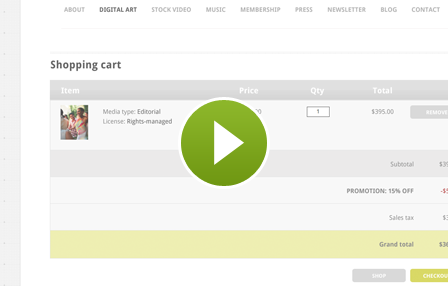
eCart's new shopping cart layouts are CSS-based Web standards compliant - and certified by CSS master, Eric Meyer. The new shopping cart designs dynamically show any charges, discounts or taxes as needed.

Sample store included

eCart gives you all the information and examples you need to get going. Fully-functionally sample store with a site map, professionally designed from graphics to CSS, provided along with a tutorial describing how to build key pages, complete with all the needed files.
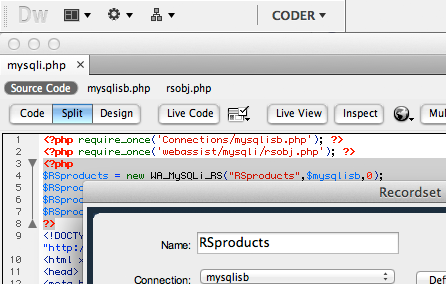
Control your shopping cart's characteristics through the eCart Object

Create shopping carts your way

eCart’s interface is easy to use but incredibly powerful. eCart allows you to integrate with a full range of payment gateways. eCart supports both database-driven and static product listings, custom discount and charges rules, and integrates quickly into your Dreamweaver site for a personalized look and feel.

User interface revised

eCart's revamped user interface is not only easy on the eyes, it's quicker to use. User interaction has been streamlined for enhanced productivity and simplified application. Separate panels for tax and shipping rules offer greater flexibility.
Multiple languages supported for buttons

Multi-language button support

eCart 4 generates Add to Cart, Clear Cart, Continue Shopping, Checkout graphic buttons and more in 6 different languages: Dutch, English, French, German, Italian and Spanish. Your shopping cart's language and currency preference is easily changed through the eCart Object.

International Gateways and Shippers

Now you can work with more payment gateways and shippers, easier in eCart 4. Support for UK and Australian payment gateways - PayPal Website Payments Pro UK, Protx and eWay - and shippers, including DHL, UPS, USPS, FedEx and Australia Post, broadens eCart's appeal and ease-of-use.

The Checkut Wizard is the simplest, most direct method for implementing checkout in your site.

Checkout Wizard: Technology Magic

Handling checkout used to be the hardest part of building an online store - but no more. eCart 4's Checkout Wizard handles payment gateway connections, shipping, tax, order management, authorized or declined orders and so much more—all from a single, one-time-only wizard.

Full Checkout Experience Created

eCart's new Checkout Wizard creates all these pages: customer checkout page, order confirmation, order success, order failure, order email receipt (with a recent version of Universal Email installed. When the PayPal Express Checkout option is selected, all the necessary pages are created as well.

Leading gateway providers supported

Now with eCart, you choose the type of checkout experience you want. To let your payment gateway accept the transaction details on their secure site, select remote checkout. eCart supports all these major payment gateways are supported: Authorize.Net, eWay, LinkPoint, PayFlow, PayPal Website Payments Standard (US and UK), Protx VSP Form, and 2CheckOut.

Same site checkout options

If you’d prefer to keep the customer on your own secure site, use local checkout. The current version of eCart includes local checkout for four of the largest payment gateway services: Authorize.Net AIM, LinkPoint API, PayPal Website Payments Pro, PayFlow Pro, Protx VSP Server, and WebAssist Payment Gateway.

Certified CSS designs for your checkout forms

Complete form creation

eCart inserts the whole form, complete with labels and form fields, fully CSS styled. All the hidden form elements necessary for the desired transaction – whether it’s standard credit card authorization or eCheck clearance – are included automatically.

Layouts CSS certified

All CSS form layouts generated by eCart have been examined and certified by acknowledged CSS master, Eric Meyer. Customize any layout by including your own background, color schemes or other design elements.
Certified CSS designs for your shopping cart display

Different shopping cart types available

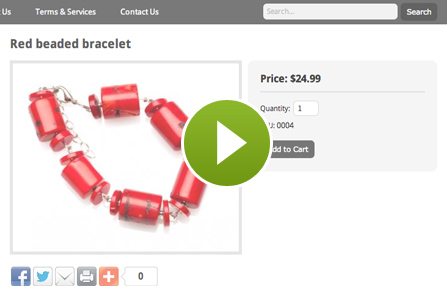
The eCart Display Manager combines power and style to bring you extremely useful and attractive shopping cart displays. Your shopping cart contents can be displayed in three different cart types, in a range of styles and colors:
  • Updateable cart – Provides the cart contents in a user-friendly design that permits change of quantity, selection of options or easy item removal.
  • Read-only cart – Displays the shopping cart contents for confirmation before proceeding to checkout.
  • QuickCart – An abbreviated cart display that shows the current cart total and offers View Cart, Clear Cart and Checkout buttons for easy use.
  • Email-friendly Cart - Keep your online store customer's happy with easy-to-read and great looking shopping cart displays in their email receipts.

Professionally crafted designs

Select from any of three different professionally designed layouts, with a full range of color schemes and button options. Once the cart is generated, you can fine-tune the layout and CSS to your liking.
A sample store to help you understand how it all works together

Getting started guide and contextual help

eCart is fully supported with a built-in help system and a free online help forum. You’ll also find step-by-step tutorials to guide you on your way.

Sample store included

Learn how to create an online store in just four steps with the eCart Getting Started Guide and the included sample store. Whether you're building stores with database-driven or manually created catalog pages, the Getting Started Guide takes you through the process, step by step. Starting points and completed store files are available for PHP, ASP-JavaScript, ASP-VBScript and ColdFusion.

Windows

Windows XP, Windows Server 2003, Windows Vista
Dreamweaver CS3, Dreamweaver 8

Macintosh

Mac Power PC 10.4.x, 10.5.x
Mac Intel 10.4.x, 10.5.x
Dreamweaver CS3, Dreamweaver 8

Application Server Models

ASP JavaScript
ASP VBScript
PHP 4.2 +
Coldfusion 6.0 +

Databases

Microsoft Access (with ASP and Coldfusion)
Microsoft SQL Server (with ASP and Coldfusion
MySQL 4 & MySQL 5 (with PHP)
Novo Coffee
Novo Coffee
Novo Coffee markets and sells their own brand of gourmet, specialty coffee online. Coffees are roasted to order and shipped fresh. Winner, WebAssist Pimp My Cart 2005 contest: Hottest Cart Skin.
Audio4Cheap
Audio4Cheap
At Audio4Cheap, you find audion and video equipment for home, car, personal electronics, dj equipment and computers. Honorable Mention, WebAssist Pimp My Cart 2005 contest: Best PayPal Integration.
Big League Baseball Fundamentals
Big League Basebase Fundamentals sells a DVD collection of fundamental baseball instruction presented by the greatest group of MLB All-stars and Hall of Famer’s ever assembled on an instructional video, sharing their knowledge, unique drills, and teaching young people how to play.
Sincero
Sincero
Dutch clothing site selling socially conscious clothes for men, women and children.
New Zealand Natural Health
New Zealand Natural Health is part of Lovely Health Ltd., a New Zealand company that specialises in supplying New Zealand natural remedies to the world, supplying the best quality products at the best possible prices.

Online Documentation

Technical Support

With your purchase of eCart, you receive 4 Technical Support incidents, a value of $119.96. Technical Support Incidents are handled by senior support personnel quickly and efficiently. Intial responses to a submitted incident are returned within 2 to 4 business hours.

General Tech Notes

Understanding WebAssist Activation
WebAssist uses product activation to help eliminate piracy and keep software costs low. This TechNote discusses WebAssist product activation and what to do when you encounter an activation error.
WebAssist Triggers - Unleash the Power
One feature unique to WebAssist extensions is the concept of triggers. A trigger detects a specific event and runs a server behavior or other function. The power of triggers in WebAssist extensions lies in the flexibility they give you as a developer. Unlike the triggers in native Dreamweaver server behaviors, WebAssist triggers can fire in reaction to many different kinds of events, even those contained in other pages. This document provides background information and discusses the appropriate use of the various triggers available.

eCart Tech Notes

How to pass eCart data to my secure server
eCart users are able to keep shoppers on their eCommerce sites without passing them to a payment gateway site: we call this process local checkout. This requires using an Secure Socket Layer (SSL) server to allow customers to enter their credit card information securely. In some cases, shopping cart data is cleared when the SSL server is contacted. This TechNote discusses why that happens and describes how to get your data to the secure area of your site so that your transactions can be processed properly.
Building a multiple item add to cart interface
A feature developers are often requested to build on their eCommerce sites is a products page that allows shoppers to select multiple items from a list and then click a single Add To Cart button to add the selected items to the shopping cart. This TechNote walks you through the process of creating such a page.
Add to Cart Button - Using the "If Item in Cart"
This tech note pertains specifically to the "If Item In Cart" option on the Bindings panel of the eCart Add To Cart Button dialog. This option is used in conjunction with the unique key column settings in your cart to determine what should happen when an item already in the cart is added to the cart again.
Formatting currency values in eCart applications
One feature that eCart users have at their disposal is the ability to format the way currency is displayed in their eCart applications. This TechNote shows how to format your currency display in your eCart application using the built-in functions in eCart.

eCart Solution Recipes

eCart's powerful Checkout wizard
Learn how to get the most out of eCart with these info-packed, interactive tutorials. Take a step-by-step tour of eCart's powerful Checkout wizard, complete with a printable checklist in the Checkout Wizard Feature Tour. Want your online store to make more sales? Incorporate customer-pleasing discounts into your eCart shopping cart—we'll show you 8 different techniques.

Recipes

PayPal eCommerce Toolkit Recipes
Includes simple steps to take your PayPal store further. These recipes provide step by step instructions on maximizing your development experience with the PayPal eCommerce Toolkit for Dreamweaver (v3.0.4 or later required). Included with these recipes are instructions and code snippets that show you how to obtain and manage a PayPal account as well as detailed guidelines on implementing common scenarios such as adding optional fields, sending user information with the order, and working with shipping.

Spacer
Spacer
- 4 Days only! - 
Save 25% Store-wide 
Expires Friday, May 9th, 2008
Spacer