No Clipping Necessary: Coupons in the Online Store
by Joseph Lowery
featured extension:
featured book:
for sales questions:
Email sales@webassist.com
U.S.
Monday - Friday, 9AM - 5PM PST
800.886.0130 Option 2
Europe
Monday - Friday, 9AM - 5PM GMT
+44 (0) 170.453.3838
Outside U.S. and Europe
Monday - Friday, 9AM - 5PM PST
+1.760.633.4013 Option 2
Shoppers love special deals, especially those that make them feel special. Give your customers a discount that involves them, whether it's cutting out a coupon or entering a secret code in a form field and they feel rewarded. In this article, we'll explore the strategies and benefits of online coupons.
Note: If you'd like to jump right in and see the steps for adding a coupon to your eCart storefront, follow our Solution Recipe.
Just to make sure everyone is on the same page, let's define what is meant by the term "coupon". According to Wikipedia, a coupon, is a marketing term for a document that can be exchanged for a discount or rebate when purchasing a product. In the online world, coupons take two forms. Some brick-and-morter stores with online prescences create printable coupons that can then be taken to their stores for redemption. Online stores, on the other hand, typically use a code of some type that can be entered as part of the checkout process to get the discount. This article is primarily concerned with the latter approach.
Coupon Benefits
While the benefit to the shopper is often immediately obvious ("30% off with this coupon"), the benefits to the eCommerce site are less so—but extremely numerous. Coupons are great for:
- Gaining new customers
- Rewarding repeat business
- Introducing new products
- Selling excess inventory
- Growing business during slow periods
- Maximizing seasonal or special events
- Increasing average transaction amount
How you distribute your coupon code can lead to additional benefits. Let's say you email your customers with a coupon that has to be used in a set number of weeks to receive a new product or service. Because you've controlled the distribution of your coupon, you now have a number of options:
- For those who respond and take advantage of the coupon, you can send a thank-you email that contains a coupon for a different product as a reward.
- Send a follow-up email to those who didn't use the coupon code with additional incentives.
- Send those who responded a "tell-a-friend" email, with a secondary coupon offer to encourage your customers to spread the word and provide an advantage to their acquaintences.
. ![]()
How Coupons Work
The typical coupon offers a specific discount. The discount could be constrained to a targetted product or within a particular time frame as well. Let's take a brief overview of the coupons from the Web developer point of view:
- At checkout, the customer enters their coupon code into a text form field and clicks the associated submit button.
- The application verifies that the coupon is valid. This validation may consist of seeing if the entered value is exactly equal to a single string of characters or phrase or found within a database table of values.
- If valid, the discount is applied to the subtotal or other shopping cart figure. If not valid, a message informs the shopper.
- Optionally, the entered coupon value is stored with the order or the ordered is noted to have been placed with a valid coupon.
As noted at the top of this article, we've created a Solution Recipe that details the exact steps you can take to set up a coupon with your eCart online store. Here, I'd like to walk through the process to help explain how it all works.
- First, you set up a form with a text field for the coupon value and a submit button on the shopping cart page. Let's say you name the text field txtCouponCode. You'll leave the form action attribute blank, so the form will submit to the same page.
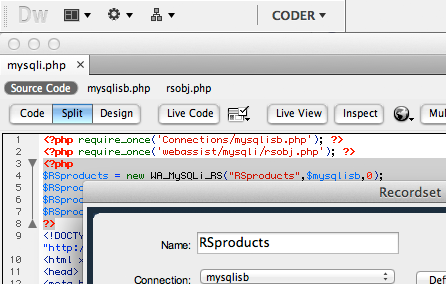
- Next, you need to set up a session variable to hold the coupon code entered in the form. If you're new to session variables, you can think of them as cookies stored on the server. eCart includes a server behavior called Set Session Value that allows you to set up any needed session variables.

The Set Session Value server behavior has three parameters: - Trigger – What fires the server behavior to set the session variable value. For the coupon trigger, it's best to use the text form field (txtPromoCode). Why? This assures that the form has been submitted and that there is a value in the field.
- Session name – The name of the session variable that will appear in the Bindings panel and in any Dynamic Data dialog boxes.
- Value – The text or number to be stored in the session variable. Again, you want to use the text form field.
- Finally, you create the discount rule in the eCart object. In our example, we set up the discount to occur only if there is at least one item in the shopping cart and the PromoCode session variable is equal to WebAssist. If both conditions are true, then 10% of the subtotal is set as the deduction. You could, of course, substitute your own conditions and calculations.
I hope this overview of online coupons has been useful to you. Happy couponing!
About the author:
Joseph Lowery is a world-renown Dreamweaver expert and author of the best-selling Dreamweaver Bible series from Wiley Publishing; his Dreamweaver CS3 Bible is now available. Joe is also Vice-President of Marketing for WebAssist; contact him at jlowery@webassist.com.