$199.99 - Dynamic Suite thru September 30th - Learn More >

System Requirements

Windows

  • Windows 7, Windows Vista, Windows XP SP2, or Windows Server 2003
  • 128 MB RAM (256 MB recommended)
  • Dreamweaver CS5, Dreamweaver CS4, Dreamweaver CS3
  • Works with static, dynamic or template pages.

Macintosh

  • Mac PowerPC or Mac Intel
  • MacOS 10.4.x, MacOS 10.5.x, MacOS 10.6.x
  • Dreamweaver CS5, Dreamweaver CS4, Dreamweaver CS3
  • Works with static, dynamic or template pages.

Required for Content Management System

  • PHP 4.2+
  • MySQL 4 or MySQL 5 (with PHP)

Need a hosting provider?

  • WebAssist has partnered with Dreamhost. Click here to learn more.

Close

Close

Dreamweaver website builder

Site Sculptor

Quickly and easily build complete websites with menu navigation
and content management.
This product is included in Super Suite

Feature Tour

Play Video

Screenshots

Site Sculptor Quick Insert interfaceSite Type interfaceTheme-ItSite Sculptor Content Management Installation WizardSite Sculptor Content ManagementContent Management Feature
Gallery Built With PowerGallery

Product Summary

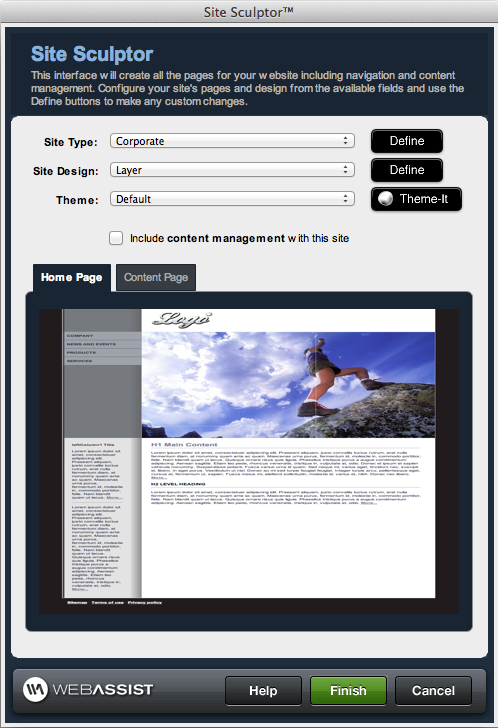
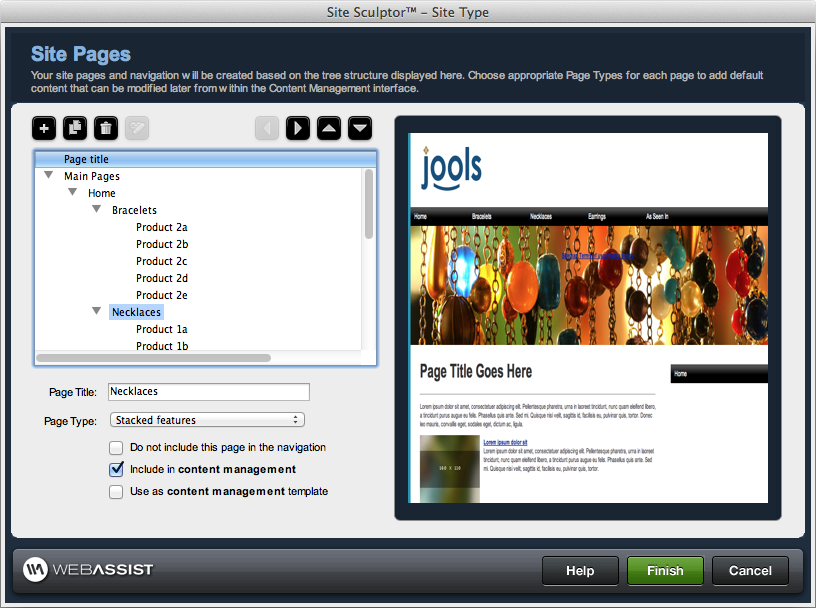
Site Sculptor is a powerful and easy-to-use website builder for Dreamweaver. Start by opening Site Sculptor's straightforward interface and select from a variety of preconfigured site types. Next customize the structure of your site by easily adding, removing and rearranging pages. Then apply a preset design and customize any colors and images to achieve the exact look and feel you desire. Need content management? No problem. Simply select a checkbox to add a fully functional content management system to your website - quick, easy, and no coding required.

Preset Site Types and Designs

To help you get started Site Sculptor includes nine preconfigured site types and nineteen site designs. Simply select the site type and design which best meet your needs then customize both the page structure of your site and the design with ease - no coding required.

Theming Made Easy

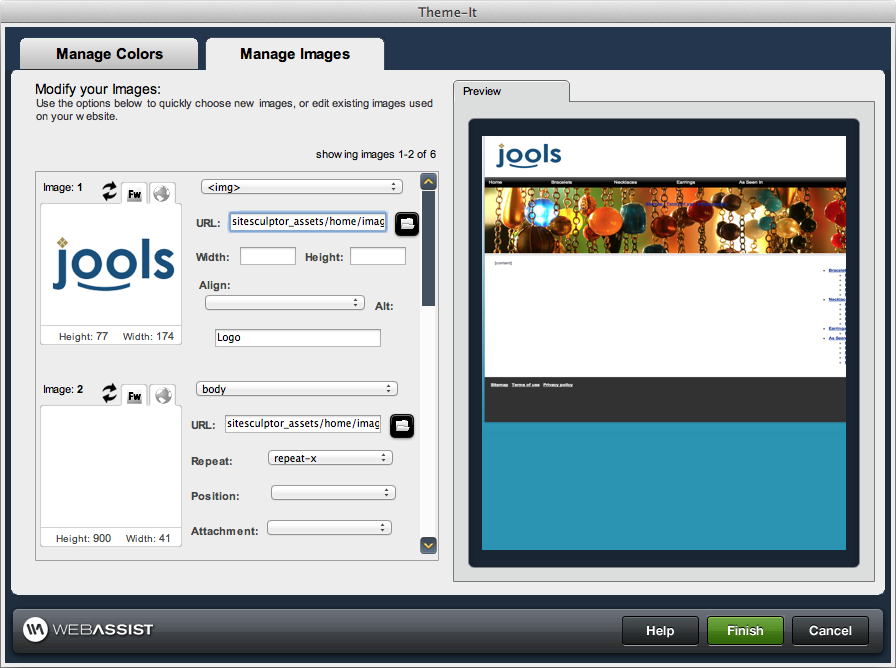
WebAssist's Theme-It has been fully integrated within Site Sculptor so you can easily change or update your website’s color scheme and images. Quickly specify a new color or swap images of any element to achieve the exact look and feel you require.

Built-In Content Management

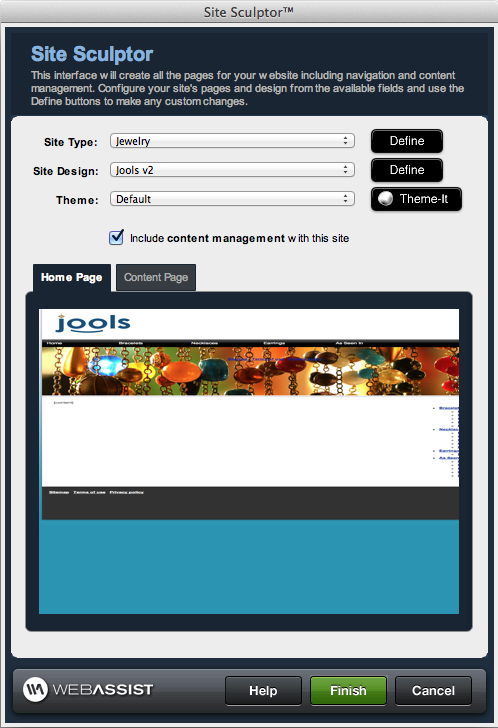
Once you've built your website one of the most challenging and time consuming tasks is updating your site's content. However, Site Sculptor can automatically include a content management feature with your site so that you'll be able to quickly and easily update the content of your site without even opening Dreamweaver.

Dreamweaver Template Compatible

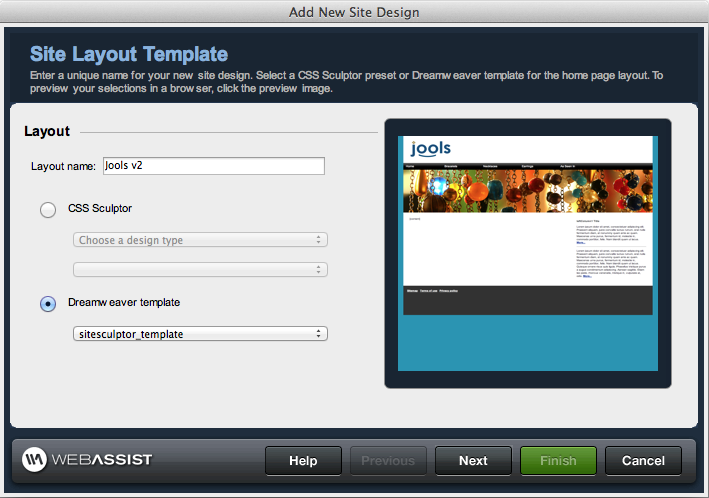
Site Sculptor includes full support for Dreamweaver templates. Simply specify a Dreamweaver template within the interface and Site Sculptor will generate all the pages of your site using your existing template.

New Features

  • Built-in Content Management System
    • Simply check a box and Site Sculptor will automatically create a fully integrated CMS for managing and updating your websites content
  • Theme-It Color/Image Manager Integrated
    • Choose to edit your entire site design, or only the Home Page or Content Page designs.
    • Customize the included presets to better achieve the design you are looking for.
    • Change the color scheme of your CSS layouts with the click of a mouse
    • Color suggestions will help ensure your CSS design looks professional
    • Import web page or image to sample colors
  • 5 New Site Designs
    • Ideation, investment, midnight oasis, startup, travel
  • Search Engine Optimization Enhancement
    • Easily specify each page’s Meta title, keywords and description within the built-in content management feature.
  • Redesigned Interface
    • Quick Insert Interface added for speedy site creation
    • Reorganized interface for enhanced workflow

Complete Features List

  • Straightforward interface
    • Reorganized for enhanced workflow – New!
  • Web standards compliant CSS-based pages and menu navigation
    • Menus automatically update to reflect any changes in page structure
  • Quick Insert Interface Added – New!
    • Select a site type and design and you’re finished
  • 9 Site Types
    • Preconfigured site structures
  • Easily Manage Site Structure
    • Add, delete and rearrange individual site pages
    • Duplicate individual pages or site branches
    • Independent footer text linking
    • Link to non-Site Sculptor pages directly within the Site Sculptor interface
  • 19 Site Designs – 5 New!
    • Preset site color schemes
  • Easily Manage Site Design with Theme-It Color Manager – New!
    • Change the color scheme of your CSS layouts with the click of a mouse
    • Color suggestions will help ensure your CSS design looks professional
    • Import web page or image to sample colors
  • Built-in Content Management System – New!
    • Simply check a box and Site Sculptor will automatically create a fully integrated CMS for managing and updating your website’s content
  • Completely accessible HTML, CSS and PHP code
  • Save Custom Presets
    • Save any custom site types and designs that you create when using Site Sculptor
  • SEO Friendly
    • Site Sculptor produces clean standards compliant code and therefore provides a great foundation search engine optimization
    • CSS-based menu navigation is easily crawled by search engines
    • Easily specify individual page Meta title, keywords and description within the built-in CMS – New!
  • Compatible with Dreamweaver templates
    • Import an existing Dreamweaver template for Site Sculptor to use when generating your website
  • Compatible with CSS Sculptor
    • Import a custom layout created with CSS Sculptor
  • Compatible with CSS Menu Writer
    • Import a custom menu created with CSS Menu Writer
    • Customize your menu further with CSS Menu Writer 2
  • Getting Started Guide
  • Custom page types supported
  • Spry components supported in custom page types

Do I need to own Dreamweaver to use Site Sculptor?

Yes. Dreamweaver CS5, CS3 or CS4 is required to use Site Sculptor.

Do you offer a trial or demo of Site Sculptor?

WebAssist is not currently setup to offer trials or demos. Instead we offer a 15 Day Money Back Guarantee with every purchase of a Dreamweaver extension.

Can Site Sculptor be used without any coding knowledge?

Yes. Site Sculptor can be used without any coding knowledge or experience.

What is the difference between Site Sculptor and SiteAssist Professional?

Site Sculptor is essentially a spinoff of SiteAssist Professional. Site Sculptor uses the SiteAssist Professional site creation engine while giving you the added functionality of a built-in content management system and theming capabilities.

Is the built-in CMS the same as PowerCMS?

The built-in CMS included with Site Sculptor is a simplified version of PowerCMS, providing you with essential capabilities as it relates to updating content on your website. In addition, Site Sculptor’s content management feature includes the ability to specify Page Title and meta keywords. If you wish to utilize the full fledged version of PowerCMS with Site Sculptor you can do so by overwriting the CMS files generated by Site Sculptor.

How quickly can a site be created with Site Sculptor?

By using the preconfigured site types and designs found in Site Sculptor, you can create an entire CSS website that includes content management in minutes.

What site types are included with Site Sculptor?

The following site types are included with Site Sculptor: club/associations, consultant professional, corporate, education, non-profit, personal, portfolio, real estate and special event. You can even save any modified file configuration as a custom site type for future use.

Can I modify the various site types to meet my needs?

Yes. You first select the site type that best meets your needs and then can modify the structure of your site by adding, deleting or rearranging pages.

How many designs are included with Site Sculptor?

Site Sculptor includes 19 different designs.

What type of code does Site Sculptor output?

Site Sculptor outputs standards compliant HTML, CSS and PHP code.

Can I customize the code that Site Sculptor outputs?

Yes. All HTML, CSS and PHP code that Site Sculptor outputs is completely accessible for further modification and customization.

Is Site Sculptor SEO friendly?

Yes. Site Sculptor produces standards compliant code and therefore provides a great foundation search engine optimization. Additionally, Site Sculptor’s CMS allows you to easily add Meta titles, keywords and descriptions to help optimize each individual page for SEO purposes.

Once my site is created, can I reenter Site Sculptor to make further modifications?

No. In order to maintain the content management feature of websites created by Site Sculptor, you will not be able to reenter the interface to make changes. You are encouraged to save your site as a preset prior to creating your site’s pages, so that you can quickly recreate the site at a later date.

Does Site Sculptor create my menu navigation?

Yes. Site Sculptor generates standards compliant, CSS menu navigation. All menus feature drop-down or fly-out submenus presented in an unlimited number of levels.

Are the websites cross-browser compatible?

Yes. Site Sculptor websites are compatible with all modern browsers.

Can the drop-down menus Site Sculptor creates be dynamic?

No. Site Sculptor cannot create dynamic (database driven) menus, however you can add dynamic CSS menus to your Site Sculptor site using CSS Menu Writer.

What other products might I want to consider?

Site Sculptor is compatible with both Eric Meyer's CSS Sculptor and CSS Menu Writer. Simply export an existing CSS Sculptor layout and CSS Menu Writer menu and import them into the Site Sculptor Add New Layout Wizard for use when creating your entire site.

© 1999-2010 WebAssist.com Corporation      |Partner Directory|Contact Us|Terms of Service|Privacy Policy|Site Map