



Super Suite
Get all extensions for one suite price
Design Extender
Design and create unlimited websites
Data Bridge
Develop database-driven websites
eCart
Build a responsive shopping cart + checkout
MySQLi Server Behaviors
Generate streamlined MySQLi
Free PayPal Toolkit
Paypal, PayPal Credit, and Skype
Help
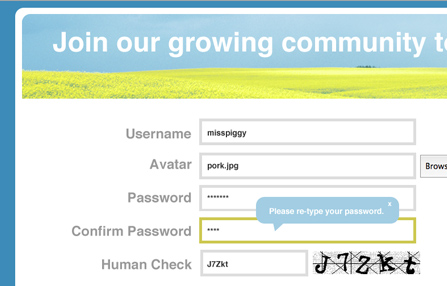
Quickly create functional forms on your Dreamweaver website or enhance your existing web forms.
The form tools were once stand-alone extensions - Cookies Toolkit, CSS Button Styler, CSS Form Builder, Digital File Pro, Form Toolkit, HTML Editor, Universal Email and Validation Tooltips for Spry. Now they are integrated into one powerful Dreamweaver extension, Data Bridge.
Want a database search form with results page?
Learn about Dynamic Page Tools.
Want a Google search form on your website?
Learn about Free Tools.
Need a checkout form & shopping cart?
Learn about eCart.
 Create a new form or edit your existing form
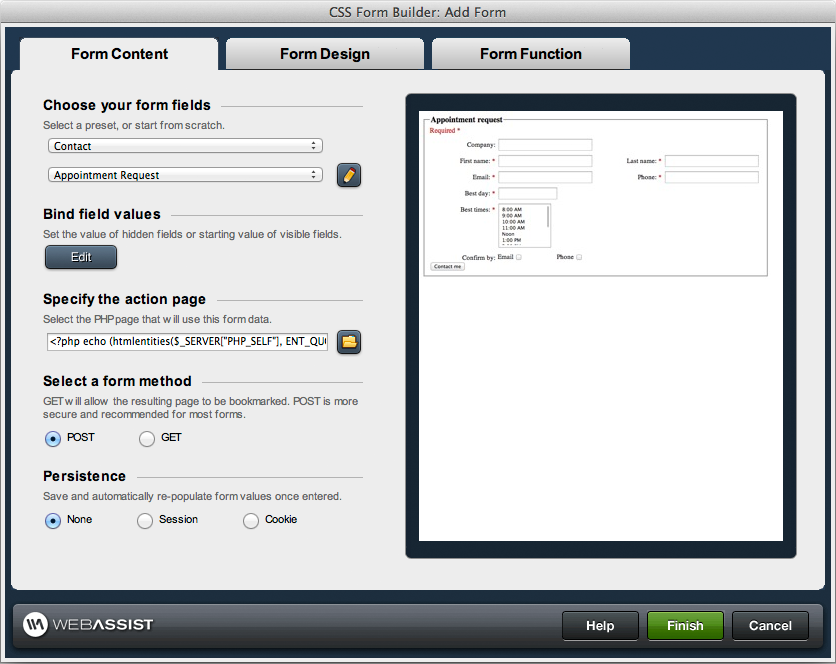
This wizard helps you create a form in Dreamweaver. Pick a form preset - such as appointment request or contact form - as a starting point. You can bind default values to the form (handy when you store values, like with user accounts), choose your form submit method (POST or GET) and if you want the page to submit to a new page or submit to itself.
If you have an existing form on your website, you can open the page in Dreamweaver and this wizard will automatically pick up all of your form fields and allow you to make edits within the wizard.
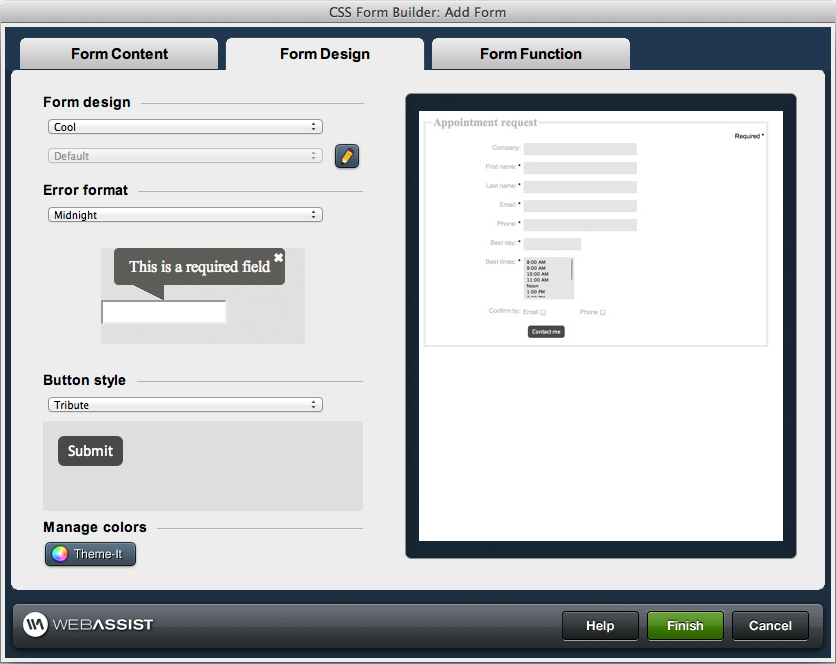
The Form Design tab of this wizard allows you to pick a design preset (which you can customize), a tooltip error message format and a button style format for your form.
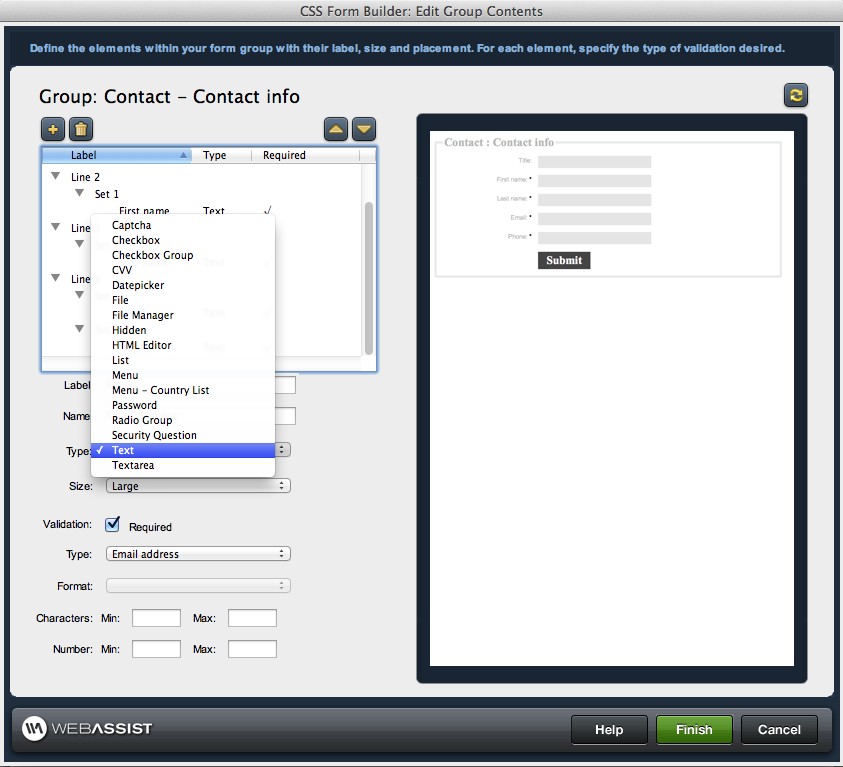
 Configure your form fields
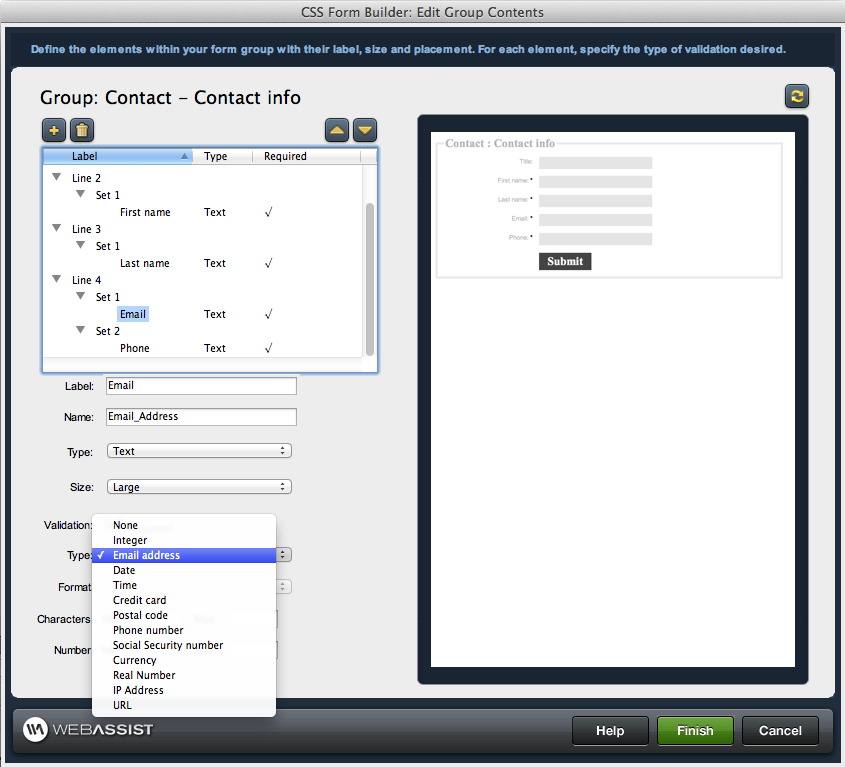
Choose from all of the form field types shown in the wizard below and configure their placement on your form. Label your fields; define their size; add Spry and PHP server validation.
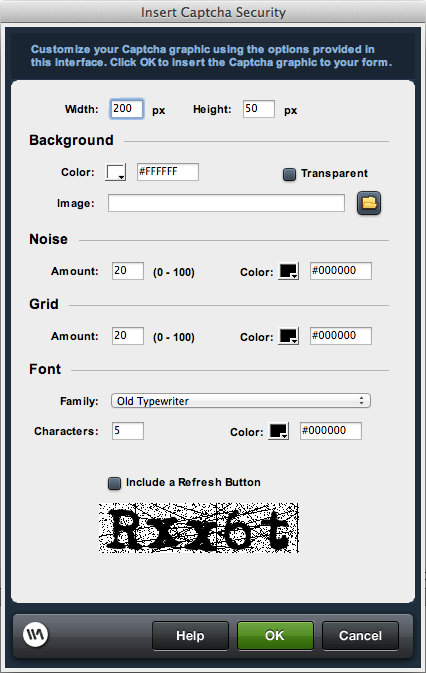
Add CAPTCHA security to ensure a human, not a bot, is filling out your form. Customize the CAPTCHA dimensions, font, colors, noise level, grid and background. Optionally include a refresh button in case users have a difficult time reading a particular letter.
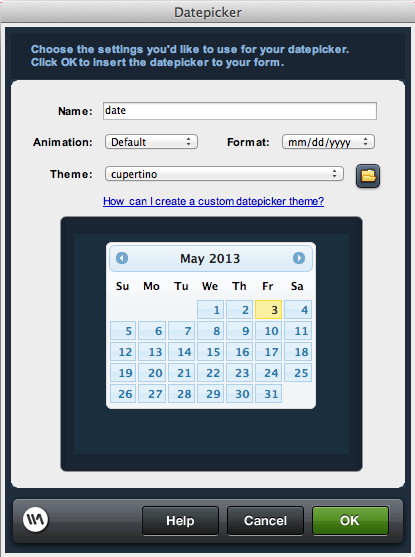
Add a JavaScript date picker form field. Choose from many datepicker design presets or fully configure every last design detail, using the jQuery UI ThemeRoller. Format the date field in this wizard and choose an animation/transition effect for the calendar to display when the user clicks in the date form field.
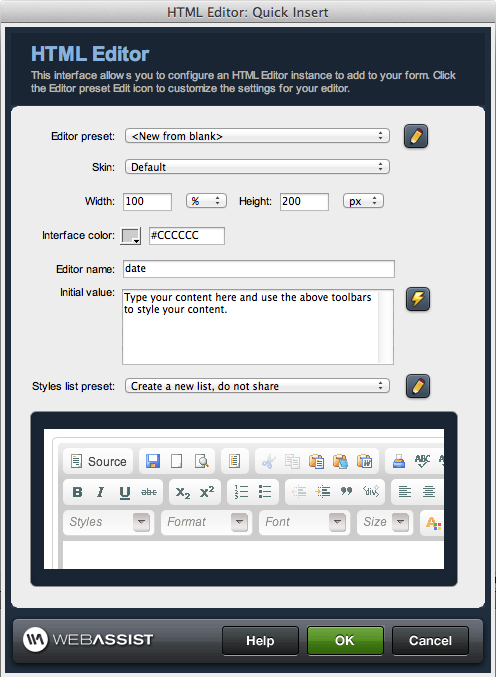
Add a HTML rich text editor form field so users can style their text, add images and more directly in the form field. Configure the dimensions of the field; skin the toolbar to integrate with your site; select which toolbar buttons to include. Your custom style sheets can even be incorporated so that users can take advantage of your CSS classes to style their content - particularly useful for an administrative site where users are styling content for a public-facing website.
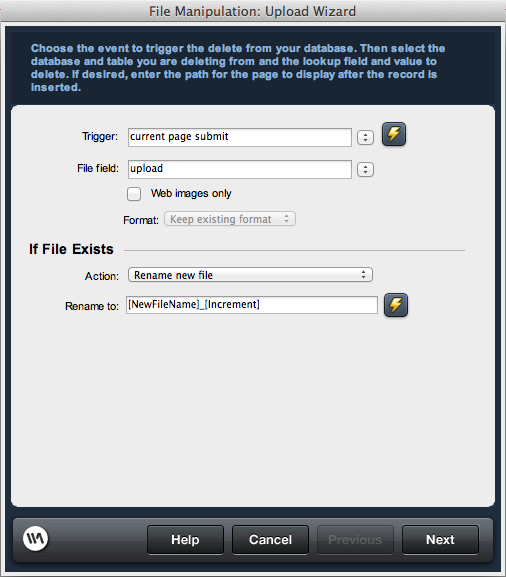
Add a digital file upload field to let your users upload files. For instance, you may want to let your customers upload profile pictures, or let your administrators upload product images. You can also use the digital file field to let users email files. Configure where files should be stored on your server and how to handle duplicate file uploads. Set restrictions, if desired, on the file upload type and size. Use the wizard to specify if you want the uploaded images to be re-sized, reformatted or renamed.
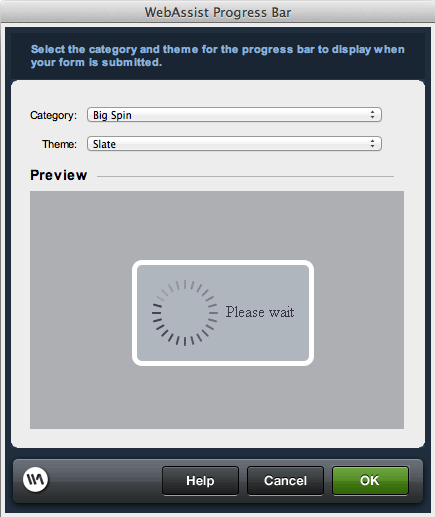
Add a progress bar to your form so that once your user hits the submit button, they know the form is submitting - particularly useful for forms that include upload fields as the submission may not be instant. Choose from multiple progress bar designs.
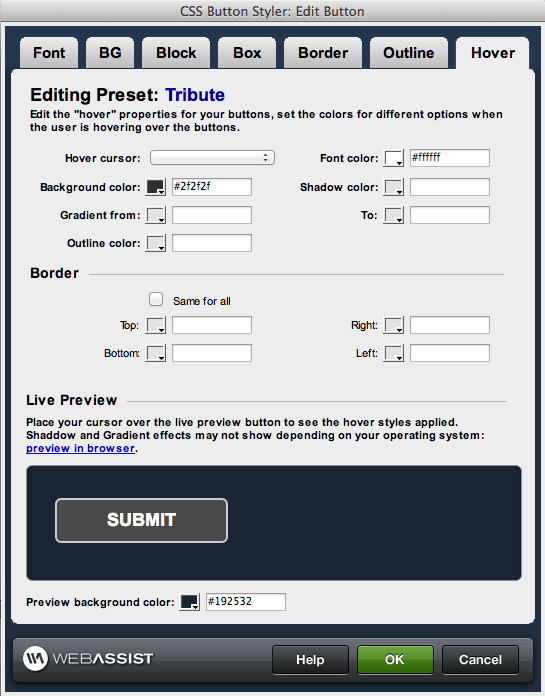
Add modern CSS buttonsUse the Button Styler wizard to start with one of our many presets, then customize every aspect of the button design, including rounded corners, gradients, background images, shadows, fonts, borders, text alignment padding, margins, hover states and more. The wizard generates all the CSS for you. Then, you can continue to use the generated CSS class anywhere on your site when you add new buttons.
Ways to validate your form fieldsWhen you are building new forms, you can set your form fields to use JavaScript and/or PHP server validation.
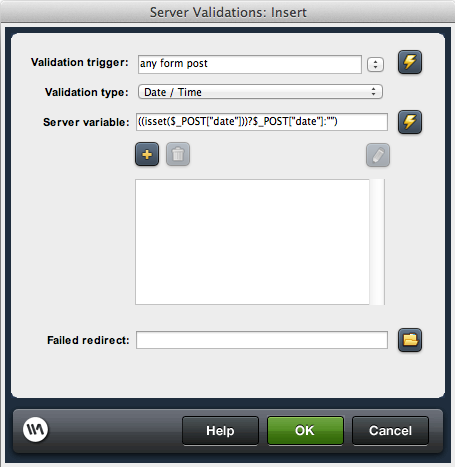
You can also use the validation server behaviors included in Data Bridge to set PHP server validation on any PHP form in Dreamweaver. Determine whether the users are required to fill out certain fields before the form will submit - and configure validation criteria. For example, if you validate that a form field is a date field, you can specify a minimum / maximum date that can be entered. If you validate that a form field is a credit card, you can specify what credit card types can be entered. And so on; the options are endless and allow you to validate the data to your specifications.
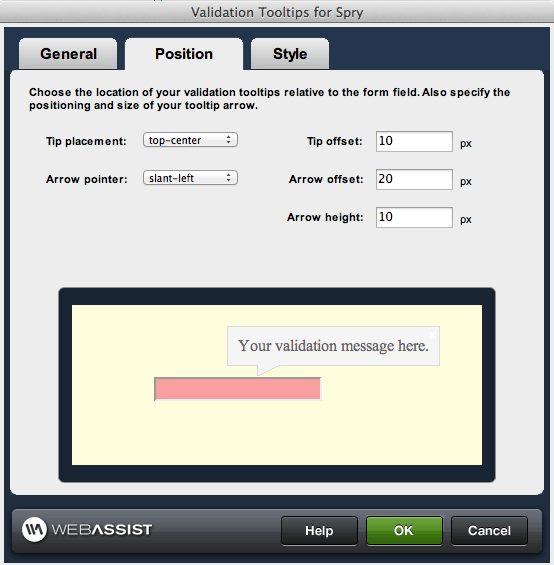
With this wizard, you can select any form with Spry validation in Dreamweaver and convert the Spry validation to modern tooltip validation. Customize the colors, transparency, borders, arrow, rounded corners, and placement of the tooltip from the wizard.
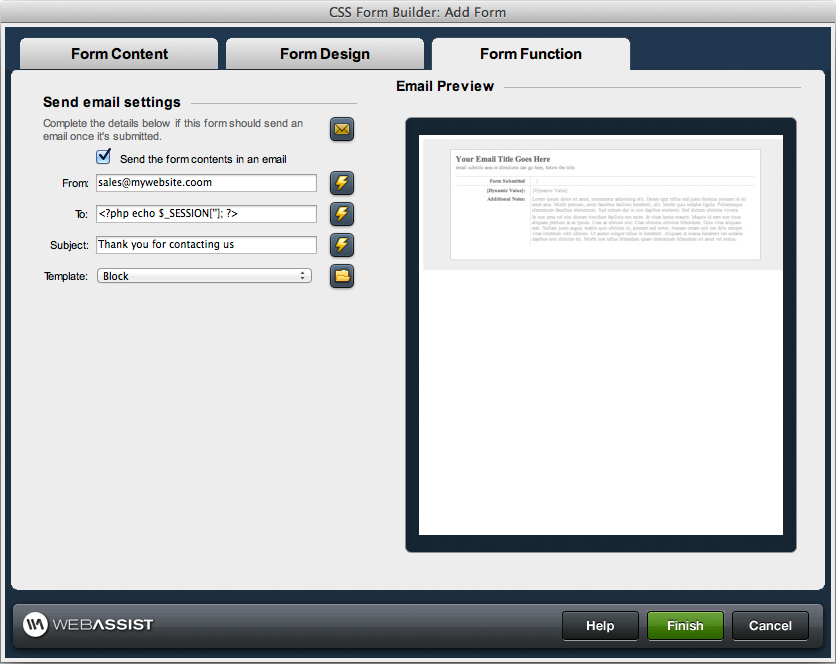
 Email the form data
When your user submits the form, you may want to email their form data to an administrator - or back to the website visitor themselves. Use the wizard to fully set up that email, as well as generate the code to automatically send the email upon form submission.
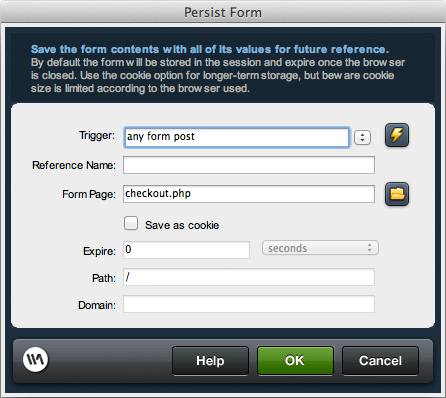
Configure form persistenceEasily pass form values from page to page via browser session or cookies. This interface makes it simple to save the values, and all of the code is generated for you. Form bindings are then made available in the bindings panel, making it easy to bind default values in your form fields.
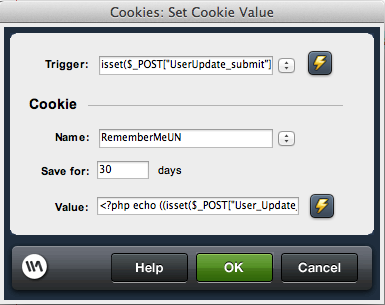
Store and set cookiesUse the Set Cookie server behavior to set a cookie for an individual form element that you want to store in the user’s browser. For example, in a login form with a Remember Me checkbox, you would want to store a cookie if the user wants you to remember them. The next time they come to your login form, you'd want a cookie set for that field. You can also:
Insert form data into your databaseUse the built-in Insert Record server behavior to insert the form data into a database. Update Record and Delete Record server behaviors are also built-in to use on your forms.
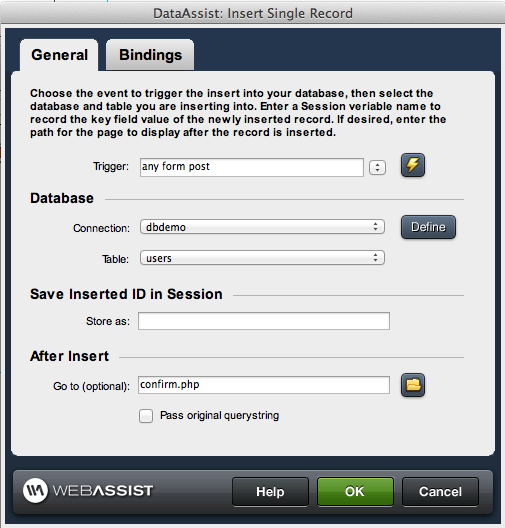
Tutorials for advanced form functionsWe offer many free tutorials to assist you not only with using the form tools, but also to help you use the other Data Bridge tools in combination. Here are a couple examples. View all tutorials »
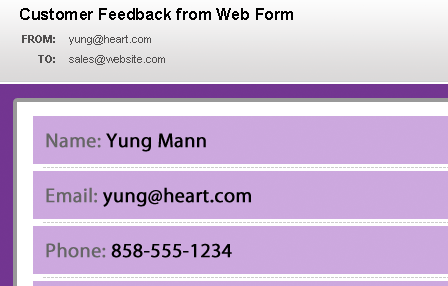
Learn how to create an email to send automatically when your users submit a form on your website. Then customize which form field elements you want included in the email.
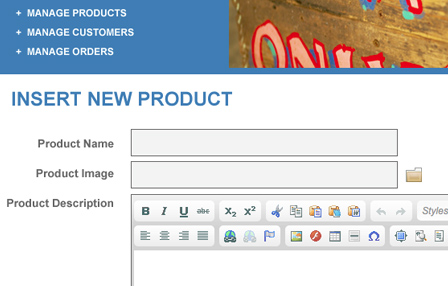
Add image upload functionality to your form and configure images of multiple dimensions to be automatically generated upon upload to your server.
Your friends over here at WebAssist! These Dreamweaver extensions will assist you in building unlimited, custom websites.
These out-of-the-box solutions provide you proven, tested applications that can be up and running now. Build a store, a gallery, or a web-based email solution.
©1999-2024 WebAssist.com Corporation. All rights reserved and all that jazz.


Account or customer service questions?
Please user our contact form.
Need technical support?
Please visit support to ask a question
